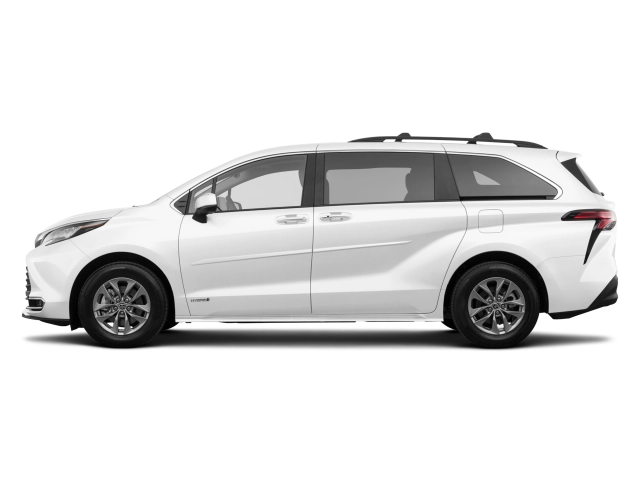
2026 Toyota Sienna Hybrid Owner's Manual
2026 Toyota Sienna Hybrid owners manual
Year:
2026
Make:
Toyota
Model:
Sienna Hybrid

Online manual

Size:
15.5 MB

Table of Contents

- Toyota 2026 Sienna Owner's Manual USA and Canada Only (OM08082U)
1
TABLE OF CONTENTS
4
Introduction
8
For your information
8
Main Owner’s Manual
8
Noise from under vehicle after turning off the hybrid system
8
Accessories, spare parts and modification of your Toyota
8
Cyber Attack Risk
9
Installation of a mobile two-way radio system
9
Vehicle data recording
9
Usage of data collected through Safety Connect (U.S.mainland only)
11
Statement on Warranty Coverage for Aftermarket and Recycled Parts (For U.S. Owners)
11
Event data recorder
11
Scrapping of your Toyota
13
Perchlorate Material
13
QR Code
13
Caution symbols attached to the high voltage components
13
Reading this manual
15
Symbols in this manual
15
Symbols in illustrations
15
Pictorial index
17
Exterior (Type A)
17
Exterior (Type B)
20
Exterior (Type C)
23
Instrument panel
26
Switches
28
Interior (8-passenger models)
31
Interior (7-passenger models)
32
Ceiling
33
1. For safety and security
35
1-1. For safe use
36
Before driving
36
Installing floor mats
36
For safe driving
38
Correct driving posture
38
Correct use of the seat belts
39
Adjusting the mirrors
39
Seat belts
40
Correct use of the seat belts
41
Fastening and releasing the seat belt (except for the third center seat)
43
Fastening the seat belt (for the third center seat)
43
Releasing and stowing the seat belt (for the third center seat)
44
Adjusting the seat belt shoulder anchor height (front and second outside seats [8-passenger models])
45
Seat belt pretensioners (front and second outside seats)
46
SRS airbags
47
SRS airbag system
47
Front passenger occupant classification system
59
System components
59
Condition and operation in the front passenger occupant classification system
61
Exhaust gas precautions
64
1-2. Child safety
65
Riding with children
65
Child restraint systems
66
Table of contents
66
Points to remember
66
Child restraint system
67
When using a child restraint system
69
Child restraint system fixed with a seat belt
71
Child restraint system fixed with a child restraint LATCH anchor
76
Using an anchor bracket (for top tether strap)
80
1-3. Emergency assistance
85
Safety Connect
85
System components
85
Services
85
Subscription
86
Safety Connect LED light Indicators
87
Safety Connect services
88
Safety information for Safety Connect
89
1-4. Hybrid system
90
Hybrid system features
90
System components
90
Acoustic Vehicle Alerting System
93
Predictive Efficient Drive
93
Hybrid system precautions
96
System components
96
Hybrid battery (traction battery) air intake vents
99
Emergency shut off system
100
Hybrid warning message
100
1-5. Theft deterrent system
101
Immobilizer system
101
Operating the system
101
Alarm
102
Setting/canceling/stopping the alarm system
102
2. Vehicle status information and indicators
105
2-1. Instrument cluster
106
Warning lights and indicators
106
Instrument cluster
106
Warning lights
107
Indicators
110
Gauges and meters (with 7-inch display)
114
Meter display
114
Changing the trip meter display
117
Changing the instrument panel light brightness
117
Adjusting the clock
118
Gauges and meters (with 12.3-inch display)
119
Meter display
119
Odometer and trip meter display
123
Changing the instrument panel light brightness
124
Adjusting the clock
124
Multi-information display (with 7-inch display)
125
Display contents
125
Changing the display
126
Menu icons
126
Driving information display
127
Driving support system information display
130
Audio system-linked display
130
Vehicle information display
130
Settings display
131
Warning message display
137
Suggestion function
137
Multi-information display (with 12.3-inch display)
138
Display contents
138
Meter control switches
139
Changing the display
140
Fuel Economy
141
ECO Accelerator Guidance/Eco Score
142
EV Ratio/EV Driving Ratio
143
Driving support system information display
144
Navigation system-linked display
144
Audio system-linked display
144
Driving information display
144
Energy monitor
145
Tire pressure
145
AWD system display (AWD models)
145
G-force
145
Safety system status
146
Blank (No items)
147
Settings display
147
Suggestion function
152
Head-up display
154
System components
154
Using the head-up display
156
Driving support system display area
157
Pop-up display
158
Hybrid System Indicator/tachometer/outside temperature display area
159
Energy monitor/consumption screen
160
System components
160
Energy monitor
160
Consumption screen
162
3. Before driving
165
3-1. Key information
166
Keys
166
Key types
166
Wireless remote control
169
Using the mechanical key
169
3-2. Opening, closing and locking the doors
171
Front doors
171
Unlocking and locking the doors from the outside
171
Advanced Rear Seat Reminder
175
Unlocking and locking the doors from the inside
178
Automatic door locking and unlocking systems
179
Sliding doors
180
Unlocking and locking the sliding door from outside
181
Unlocking and locking the sliding door from inside
182
Opening/closing the sliding door automatically
182
Sliding door child-protector locks
185
Canceling the power sliding door system
194
Opening/closing the sliding door manually
195
Back door
196
Unlocking and locking the back door from the outside
198
Unlocking and locking the back door from the inside
198
Opening/closing the back door
198
Canceling the power back door system
211
Canceling the Hands Free Power Back Door
211
Adjusting the open position of the back door
211
Smart key system
213
3-3. Adjusting the seats
219
Front seats
219
Adjustment procedure
219
Rear seats
221
Adjustment procedure
221
Moving a second seat for third seat access
224
Removing the second center seat (8-passenger models)
224
Installing the second center seat (8-passenger models)
225
Folding down the third seats
225
Stowing the third seats
226
Head restraints
230
Vertical adjustment
230
Removing the head restraints
231
Installing the head restraints
232
3-4. Adjusting the steering wheel and mirrors
233
Steering wheel
233
Adjustment procedure
233
Sounding the horn
234
Inside rear view mirror
235
Adjusting the height of rear view mirror
235
Anti-glare function
235
Digital Rear-view Mirror
237
System components
237
Changing modes
238
Adjusting the mirror
239
Cleaning the Digital Rear-view Mirror
242
If you notice any symptoms
244
Outside rear view mirrors
248
Adjustment procedure
248
Folding and extending the mirrors
249
Linked mirror function when reversing (vehicles with driving position memory)
250
3-5. Opening, closing the windows and moon roof
251
Power windows
251
Opening and closing the power windows
251
Preventing accidental operation (window lock switch)
254
Moon roof
255
Operating the moon roof
255
3-6. Favorite settings
259
Driving position memory
259
Enabling easier driver entry and exit (power easy access system)
259
Recording/recalling a driving position
259
Registering/recall/canceling a driving position to an electronic key (memory recall function)
261
My Settings
263
Types of assigned authentication devices
263
Recalled functions
263
4. Driving
265
4-1. Before driving
266
Driving the vehicle
266
Driving procedure
266
Cargo and luggage
275
Capacity and distribution
275
Calculation formula for your vehicle
277
Roof luggage carrier
278
Seating configuration variation (8-passenger models only)
279
Vehicle load limits
280
Trailer towing (without towing package)
281
Trailer towing (with towing package)
282
Towing related terms
284
Weight limits
287
GCWR, TWR and Unbraked TWR
287
Trailer Tongue Weight
288
Hitch
288
Positions for towing hitch receiver
289
Selecting trailer ball
289
Connecting trailer lights
291
Trailer towing tips
291
Dinghy towing
295
4-2. Driving procedures
296
Power (ignition) switch
296
Starting the hybrid system
296
Stopping the hybrid system
298
Changing power switch modes
300
When stopping the hybrid system with the shift lever in a position other than P
302
EV drive mode
303
Operating instructions
303
Hybrid transmission
306
Shift position purpose and functions
306
Shifting the shift lever
307
Selecting the driving mode
309
Changing shift ranges in S mode
309
Turn signal lever
311
Operating instructions
311
Parking brake
312
Operating instructions
312
Brake Hold
317
Enabling the system
317
4-3. Operating the lights and wipers
320
Headlight switch
320
Turning on the headlights
320
Turning on the high beam headlights
323
AHB (Automatic High Beam)
324
Activating the Automatic High Beam system
324
Turning the high beam on/off manually
327
Fog light switch
329
Operating procedure
329
Windshield wipers and washer
330
Operating the wiper lever
330
Rear window wiper and washer
334
Operating the wiper lever
334
4-4. Refueling
336
Opening the fuel tank cap
336
Before refueling the vehicle
336
Opening the fuel tank cap
338
Closing the fuel tank cap
338
4-5. Using the driving support systems
340
Toyota Safety Sense 2.0
340
Driving assist system
340
Sensors
340
PCS (Pre-Collision System)
346
Detectable objects
346
System functions
346
Changing settings of the pre-collision system
349
LTA (Lane Tracing Assist)
357
Functions included in LTA system
361
Turning LTA system on
364
Indications on multi-information display
365
RSA (Road Sign Assist)
372
Indication on the multi-information display
372
Supported types of road signs
373
Notification function
373
Dynamic radar cruise control with full-speed range
376
System Components
376
Driving in vehicle-to-vehicle distance control mode
378
Setting the vehicle speed (vehicle-to-vehicle distance control mode)
380
Adjusting the set speed
380
Changing the vehicle-to-vehicle distance (vehicle-to-vehicle distance control mode)
382
Vehicle-to-vehicle distance settings (vehicle-to-vehicle distance control mode)
382
Resuming follow-up cruising when the vehicle has been stopped by system control (vehicle-to-vehicle distance control mode)
383
Canceling and resuming the speed control
383
Approach warning (vehicle-to-vehicle distance control mode)
383
Selecting constant speed control mode
384
BSM (Blind Spot Monitor)
389
System components
390
Turning the BSM function/RCTA function on/off
391
The Blind Spot Monitor function
393
The Rear Cross Traffic Alert function
396
Intuitive parking assist
402
System components
402
Turning intuitive parking assist on/off
403
Sensor detection display, object distance
409
RCD (Rear Camera Detection) function
413
Display (Multimedia Display)
414
Turning the RCD function on/off
414
When a pedestrian is detected
414
PKSB (Parking Support Brake)
418
PKSB (Parking Support Brake) system
418
Enabling/Disabling the Parking Support Brake
419
Display and buzzer for hybrid system output restriction control and brake control
420
System overview
421
Parking Support Brake function (static objects)
424
Examples of function operation
424
Types of sensors
425
Parking Support Brake function (rear-crossing vehicles)
428
Examples of function operation
428
Types of sensors
428
Driving mode select switch
431
Selecting a driving mode
431
Driving assist systems
433
Summary of the driving assist systems
433
4-6. Driving tips
441
Hybrid Electric Vehicle driving tips
441
Using Eco drive mode
441
Use of Hybrid System Indicator
441
Changing the shift position
441
Accelerator pedal/brake pedal operation
441
When braking
441
Delays
442
Highway driving
442
Air conditioning
442
Checking tire inflation pressure
442
Luggage
442
Warming up before driving
443
Winter driving tips
444
Pre-winter preparations
444
Before driving the vehicle
445
When driving the vehicle
445
When parking the vehicle
446
Selecting tire chains
446
Regulations on the use of tire chains (vehicles with 17-inch or 18-inch tires)
447
5. Interior features
449
5-1. Using the air conditioning system and defogger
450
Front automatic air conditioning system
450
Air conditioning controls
450
Air conditioning control screen
455
Using automatic mode
458
Front seat concentrated airflow mode (S-FLOW)
458
Switching between the individual and synchronous modes
459
Changing the rear seat settings
461
Air outlet layout and operations
462
Rear automatic air conditioning system
464
Air conditioning controls
464
Using the automatic mode
465
Changing the rear seat settings from the front control panel
466
Air outlet layout and operations
466
Heated steering wheel/seat heaters/seat ventilators
467
Heated steering wheel
467
Operating the seat heaters
468
Operating the seat ventilators (front seats)
469
5-2. Using the interior lights
470
Interior lights list
470
Location of the interior lights
470
Operating the personal/interior light main switch
471
Operating the personal lights
471
Third row interior light
472
5-3. Using the storage features
474
List of storage features
474
Location of the storage features
474
Glove box
475
Console box
475
Cup holders
476
Bottle holders
478
Door pockets
479
Conversation mirror
480
Open tray
480
Luggage compartment features
483
Cargo hooks
483
Cargo net hooks
483
Side auxiliary box
484
5-4. Using the other interior features
485
Other interior features
485
Sun visors
485
Vanity mirrors
485
Power outlet (12 VDC)
485
Power outlets (120 VAC)
486
USB Type-C charging ports
492
Wireless charger
494
Sunshades
504
Armrest
506
Assist grips
506
Grocery bag hooks
507
Coat hooks
508
Refrigerator
509
Vacuum cleaner
511
Garage door opener
515
System components
515
Programming HomeLink®
517
Operating HomeLink®
520
Erasing the entire HomeLink® memory (all three codes)
522
6. Maintenance and care
523
6-1. Maintenance and care
524
Cleaning and protecting the vehicle exterior
524
Cleaning instructions
524
Cleaning and protecting the vehicle interior
529
Protecting the vehicle interior
529
Cleaning the areas with satin-finish metal accents
530
Cleaning the leather areas
531
Cleaning the synthetic leather areas
531
6-2. Maintenance
533
Maintenance requirements
533
General maintenance
534
Scheduled maintenance
534
Do-it-yourself maintenance
535
General maintenance
536
Engine compartment
536
Luggage compartment
536
Vehicle interior
536
Vehicle exterior
538
Emission inspection and maintenance (I/M) programs
539
If the malfunction indicator lamp comes on
539
Your vehicle may not pass the I/M test in the following situations:
539
When the malfunction indicator lamp still remains on after several driving trips
539
If your vehicle does not pass the I/M test
539
6-3. Do-it-yourself maintenance
540
Do-it-yourself service precautions
540
Maintenance
540
Hood
543
Opening the hood
543
Positioning a floor jack
545
Location of the jack point
545
Engine compartment
547
Components
547
Checking the engine oil
547
Adding engine oil
549
Checking the coolant
551
Checking the radiator and condenser
553
Checking and adding the brake fluid
553
Adding the washer fluid
554
12-volt battery
556
Location
556
Removing the 12-volt battery cover
558
Exterior
558
Tires
559
Checking tires
559
Tire rotation
561
Tire pressure warning system
562
Installing tire pressure warning valves and transmitters
567
Initializing the tire pressure warning system
568
Registering ID codes
573
Selecting wheel set
578
Tire inflation pressure
581
Checking the specified tire inflation pressure
582
Inspection and adjustment procedure
583
Wheels
584
Wheel selection
584
Aluminum wheel precautions
585
Air conditioning filter
586
Removal method
586
Cleaning the hybrid battery (traction battery) air intake vents
589
Cleaning procedure
589
Electronic key battery
593
Items to prepare
593
Replacing the battery
593
Checking and replacing fuses
596
Checking and replacing fuses
596
Light bulbs
600
Preparing for light bulb replacement
600
Bulb location
600
Replacing light bulb
601
7. When trouble arises
609
7-1. Essential information
610
Emergency flashers
610
Operating instructions
610
If your vehicle has to be stopped in an emergency
611
Stopping the vehicle
611
If the vehicle is submerged or water on the road is rising
613
7-2. Steps to take in an emergency
615
If your vehicle needs to be towed
615
Situations when it is necessary to contact dealers before towing
616
Towing with a wheel-lift type truck
616
Using a flatbed truck
618
If you think something is wrong
619
Visible symptoms
619
Audible symptoms
619
Operational symptoms
619
If a warning light turns on or a warning buzzer sounds
620
Actions to the warning lights or warning buzzers
620
If a warning message is displayed
633
Messages and warnings
633
If you have a flat tire (vehicles without spare tire)
640
Before repairing the vehicle
640
Location of the emergency tire puncture repair kit
642
Emergency tire puncture repair kit components
642
Taking out the emergency tire puncture repair kit
644
Emergency repair method
644
If you have a flat tire (vehicles with spare tire)
652
Before jacking up the vehicle
652
Location of the spare tire, jack and tools
652
Wheel lock nut
654
Taking out the jack
655
Taking out the tools
655
Taking out the spare tire
656
Replacing a flat tire
657
Installing the spare tire
659
Stowing the spare tire
662
If the hybrid system will not start
664
The hybrid system will not start even though the correct starting procedure is being followed Starting the hybrid system
664
The interior lights and headlights are dim, or the horn does not sound or sounds at a low volume
664
The interior lights and headlights do not turn on, or the horn does not sound
664
Starting the hybrid system in an emergency
665
If you lose your keys
666
If the fuel filler door cannot be opened
667
Opening the fuel filler door (Vehicles without spare tire)
667
Opening the fuel filler door (Vehicles with spare tire)
667
If the electronic key does not operate properly
669
Locking and unlocking the doors
669
Starting the hybrid system
670
If the 12-volt battery is discharged
672
Restarting the hybrid system
672
If your vehicle overheats
678
Correction procedures
678
If the vehicle becomes stuck
682
Recovering procedure
682
8. Vehicle specifications
685
8-1. Specifications
686
Maintenance data (fuel, oil level, etc.)
686
Dimensions and weights
686
Seating capacity
687
Vehicle identification
688
Engine
688
Fuel
689
Electric motor (traction motor)
689
Hybrid battery (traction battery)
689
Lubrication system
689
Cooling system
690
Ignition system (spark plug)
691
Electrical system (12-volt Battery)
691
Hybrid transmission
691
Rear differential (rear electric motor) (AWD models)
692
Brakes
692
Steering
693
Tires and wheels
693
Light bulbs
694
Fuel information
695
Tire information
697
Typical tire symbols
697
Typical DOT and Tire Identification Number (TIN)
698
Tire size
699
Tire section names
700
Uniform Tire Quality Grading
700
Glossary of tire terminology
701
8-2. Customization
708
Customizable features
708
Customizing vehicle features
708
Customizable Features
710
8-3. Initialization
727
Items to initialize
727
List of the items to initialize
727
8-4. Free/open source software
728
Free/open source software information
728
Gauges and meters (with 12.3-inch display)
728
9. For owners
729
9-1. For owners
730
Reporting safety defects for U.S. owners
730
Reporting safety defects for Canadian owners
731
Seat belt instructions for Canadian owners (in French)
732
Utilisation adéquate des ceintures de sécurité
732
Entretien et soin
732
SRS airbag instructions for Canadian owners (in French)
734
Système de coussins gonflables SRS
734
Index
742
Certifications
759
Safety Connect
759
Advanced Rear Seat Reminder
760
Smart key system and immobilizer system
761
Smart key system
762
Millimeter wave radar sensor
765
BSM (Blind Spot Monitor)
767
Intuitive parking assist
768
Wireless charger
768
Garage door opener
770
Tire pressure warning system
772

2026 Toyota Sienna Hybrid Overview

Owner's Manual

The owner’s manual for the 2026 Toyota Sienna Hybrid serves as an essential companion for every vehicle owner. This comprehensive guide provides crucial information on how to operate and maintain your vehicle efficiently. Inside, you will find details on safety features, in-car technology, and routine maintenance schedules to ensure the longevity and reliability of your Sienna. It covers everything from basic functions, like how to utilize the infotainment system, to advanced operations such as understanding the various driving modes. Familiarizing yourself with the owner's manual will empower you to optimize your driving experience while ensuring safety and functionality. Keeping this manual in an easily accessible location allows you to refer back to it whenever you have a question or need guidance, making it an invaluable resource for maximizing the potential of your vehicle.

Introduction

The 2026 Toyota Sienna Hybrid redefines the minivan segment with its perfect blend of style, performance, and sustainability. With a sleek, aerodynamic design and a spacious interior, this model caters to families and adventurers alike. Toyota has prioritized eco-friendliness in this iteration, packing the Sienna with cutting-edge hybrid technology that enhances fuel efficiency without compromising power. It stands as a versatile choice for those who want to embrace a greener lifestyle, all while enjoying the comfort and functionality expected from a modern minivan.

Powertrains

The 2026 Toyota Sienna Hybrid is equipped with a robust hybrid powertrain that pairs a 2.5-liter four-cylinder engine with electric motor systems. This sophisticated combination produces impressive horsepower while achieving exceptional fuel efficiency, allowing for smooth driving both in city traffic and on open highways. Toyota's innovative Electronic Continuously Variable Transmission (eCVT) seamlessly manages power delivery, providing a responsive and engaging driving experience, while also contributing to lower emissions.

Features

With an array of high-tech features, the 2026 Toyota Sienna Hybrid ensures a connected and enjoyable ride. The vehicle comes equipped with a state-of-the-art infotainment system featuring Apple CarPlay and Android Auto compatibility, allowing for seamless smartphone integration. Notable safety features include Toyota Safety Sense, a suite of active safety technologies designed to enhance driver confidence on the road. Furthermore, the Sienna's spacious interior boasts flexible seating arrangements, ample cargo space, and available features like dual-power sliding doors and a built-in vacuum, making every drive a comfortable and convenient journey.

User manual download

The Toyota Sienna Hybrid owner manual for the 2026 model year is to be found in PDF downloadable format on this page. The owner manual for the model year 2026 is free and in English, but the repair manuals are usually not easy to get and may cost more.

Posted by, John Mana author bio image
A passionate guy about car models, makes, and manuals.

Manual Questions

Do you have questions about the 2026 Toyota Sienna Hybrid owners manual?
Fill the form below and someone will help you!