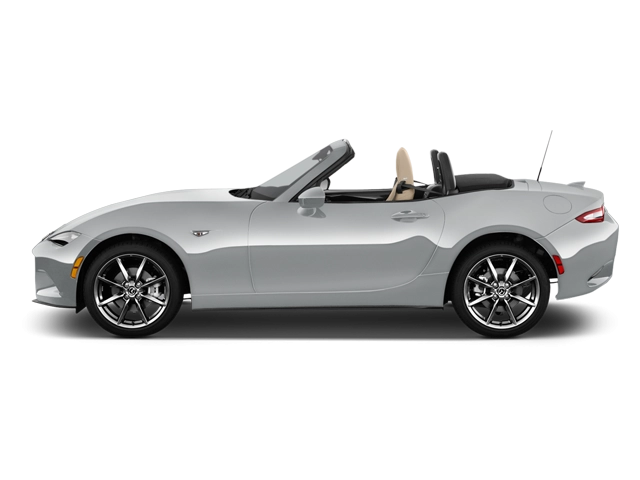
2026 Mazda Mx5 Miata Owner's Manual
2026 Mazda Mx5 Miata owners manual
Year:
2026
Make:
Mazda
Model:
Mx5 Miata

Online manual

Size:
10.56 MB

Table of Contents

Table of Contents
8
Name of Each Part
10
Steering Wheel Area Overview
11
Driver's Seat Area Overview
12
Instrument Panel Area Overview
13
Cabin Overview
14
Front Exterior Overview
16
Rear Exterior Overview
18
Read This First
20
Things to Be Observed
21
Things to Be Observed While Driving
21
Things to Be Observed When Parking or Stopping
22
The Data Stored in The Vehicle
23
Event Data Recorder (EDR)
23
A computer that records vehicle data
24
Data handling
24
Open Source Software Information
24
Instrument Cluster
24
Equipment to Protect Occupants/Pedestrians
26
SRS Air Bags
27
SRS Air Bags
27
Warnings and Cautions for Using the SRS Air Bags
29
Deployment of SRS air bags
33
Passenger Occupant Classification System
38
Warnings and Cautions for Using the Passenger Occupant Classification System
38
How to Use the Passenger Occupant Classification System
40
Seat Belts
43
Seat Belts
43
Warnings and Cautions for Using the Seat Belts
45
How to Use the Seat Belts
49
Seat Belt Extender
50
Warnings and Cautions for Using the Seat Belt Extender
51
Seats
52
Warnings and Cautions for Using the Seats
52
How to Use the Seats
54
Head Restraints
55
Non-Adjustable Head Restraints
55
Warnings and Cautions for Non-Adjustable Head Restraints
55
Steering Wheel
56
Warnings and Cautions for Using the Steering Wheel
56
How to Use the Steering Wheel
56
Child-restraint Systems
57
Child-restraint Systems
57
Warnings and Cautions For Child-restraint Systems
57
Types of Child-restraint Systems
62
Child-Restraint System Suitability for Various Seat Positions Table
64
Installing Child-Restraint Systems
66
Anchor Bracket Overview (Mexico)
69
Warnings and Cautions for Using the Anchor Bracket
69
How to Use the Anchor Bracket (Mexico)
70
How to Use the Seat Belt (Mexico)
70
Warnings and Cautions for Using the ISOFIX Lower Anchor
71
How to Use the ISOFIX Lower Anchor (Mexico)
71
Opening/Closing
74
Key
77
Key
77
Warnings and Cautions for Using the Key
77
How to Use the Key
78
Convenient Ways to Use the Key
81
Advanced Keyless Entry System
82
Advanced Keyless Entry System
82
Warnings and Cautions for Using the Advanced Keyless Entry System
82
How to Use the Advanced Keyless Entry System
82
Doors
84
Warnings and Cautions for Using the Doors
84
How to Use the Doors
85
Convenient Ways to Use the Doors
90
Trunk Lid
91
Warnings and Cautions for Using the Trunk Lid
91
How to Use the Trunk Lid
92
Inside Trunk Release Lever
93
Inside Trunk Release Lever
93
Warnings and Cautions for Using the Inside Trunk Release Lever
93
How to Use the Inside Trunk Release Lever
94
Hood
94
Warnings and Cautions for Using the Hood
94
How to Use the Hood
95
Windows
97
Power Windows
97
Warnings and Cautions for Using the Power Windows
97
How to Use the Power Windows
98
Convenient Ways to Use the Power Windows
99
Convertible Top (Soft Top)
100
Warnings and Cautions for Using the Convertible Top (Soft Top)
100
Convertible Top (Soft Top) Overview
102
How to Use the Convertible Top (Soft Top)
102
Convertible Top (Retractable Fastback)
106
Convertible Top (Retractable Fastback)
106
Warnings and Cautions for Using the Convertible Top (Retractable Fastback)
107
Convertible Top (Retractable Fastback) Overview
109
How to Use the Convertible Top (Retractable Fastback)
109
Convenient Ways to Use the Convertible Top (Retractable Fastback)
112
Security System
112
Security System
112
Warnings and Cautions for Using the Security System
112
Immobilizer System
113
Warnings and Cautions for Using the Immobilizer System
113
How to Use the Immobilizer System
114
Theft-Deterrent System
114
How to Use the Theft-Deterrent System
114
Driving
118
Mirrors
123
Warnings and Cautions for Using the Mirrors
123
How to Use the Outside Mirrors
123
Convenient Ways to Use the Outside Mirrors
124
Warnings and Cautions for the Rearview Mirror
124
How to Use the Rearview Mirror
125
Convenient Ways to Use the Rearview Mirror
125
Push Button Start
126
Push Button Start
126
Warning and Cautions for Using the Push Button Start
127
How to Use the Push Button Start
127
Instrument Cluster
129
Instrument Cluster
129
Speedometer
130
Tachometer
130
Multi-information Display
131
How to Use the Multi-information Display
132
Odometer/Trip Meter
134
How to Use the Odometer/Trip Meter
135
Engine Coolant Temperature Gauge
136
Fuel Gauge
136
Dashboard Illumination
137
How to Use the Dashboard Illumination
137
Outside Temperature Display
138
Maximum Driving Distance Display
138
Average Fuel Economy Display
139
How to Use the Average Fuel Economy Display
139
Instantaneous Fuel Economy Display
140
i-ACTIVSENSE Display
140
Compass Display
141
Roof Operation Display (Hardtop)
141
Message Display
141
Shift Lever
142
Warning and Cautions for Using the Shift Lever
142
How to Use the Shift Lever
142
Selector Lever
144
Warning and Cautions for Using the Selector Lever
144
How to Use the Selector Lever
146
Steering Shift Switches
150
Warnings and Cautions for Using the Steering Shift Switches
150
How to Use the Steering Shift Switches
150
Gear Shift Indicator (GSI)
154
Gear Shift Indicator (GSI)
154
Warning and Cautions for Using the Gear Shift Indicator (GSI)
154
Foot Brake
155
Warning and Cautions for Using the Foot Brake
155
Parking Brake
156
Warning and Cautions for Using the Parking Brake
156
How to Use the Parking Brake
156
Brake Override System
157
Brake Override System
157
Warning and Cautions for Using the Brake Override System
157
How to Use the Brake Override System
158
Hill Launch Assist (HLA)
158
Hill Launch Assist (HLA)
158
Warning and Cautions for Using the Hill Launch Assist (HLA)
158
Light Switch
159
Light Switch
159
Warnings and Cautions for Using the Light Switch
160
How to Use the Light Switch
160
Convenient Ways to Use the Light Switch
164
Turn Signal Lever
165
How to Use the Turn Signal Lever
165
Windshield Wiper/Washer Switch
166
Windshield Wiper/Washer Switch
166
Warning and Cautions for Using the Windshield Wiper/Washer Switch
167
How to Use the Windshield Wiper/Washer Switch
169
Rear Window Defogger Switch
172
Rear Window Defogger Switch
172
Warnings and Cautions for Using the Rear Window Defogger Switch
172
How to Use the Rear Window Defogger Switch
172
Mirror Defogger
173
How to Use the Mirror Defogger
173
Hazard Warning Lights
173
Hazard Warning Lights
173
How to Use the Hazard Warning Lights
174
Horn
174
How to Use the Horn
174
Antilock Brake System (ABS)
174
Antilock Brake System (ABS)
174
Warning and Cautions for Using the Antilock Brake System (ABS)
175
Traction Control System (TCS)
175
Traction Control System (TCS)
175
Warning and Cautions for Using the Traction Control System (TCS)
175
How to Use the Traction Control System (TCS)
176
Dynamic Stability Control (DSC)
176
Dynamic Stability Control (DSC)
176
Warning and Cautions for Using the Dynamic Stability Control (DSC)
176
How to Use the Dynamic Stability Control (DSC)
177
DSC-TRACK
178
DSC-TRACK
178
Warning and Cautions for Using the DSC-TRACK
178
How to Use the DSC-TRACK
179
Kinematic Posture Control (KPC)
180
Kinematic Posture Control (KPC)
180
Warning and Cautions for Using the Kinematic Posture Control (KPC)
180
How to Use the Kinematic Posture Control (KPC)
180
Drive Selection
181
Drive Selection
181
Warning and Cautions for Using the Drive Selection
181
How to Use the Drive Selection
181
Power Steering
182
Power Steering
182
Tire Pressure Monitoring System (TPMS)
182
Tire Pressure Monitoring System (TPMS)
182
Warning and Cautions for Using the Tire Pressure Monitoring System (TPMS)
183
How to Use the Tire Pressure Monitoring System (TPMS)
184
Refueling
186
Warnings and Cautions for When the Refueling
186
Refueling
188
Fuel Requirements
189
Warnings and Cautions for Using the Fuel Requirements
190
Emission Control System
190
Warnings and Cautions for Using the Emission Control System
191
Warnings and Cautions for Engine Exhaust (Carbon monoxide)
192
i-ACTIVSENSE
192
i-ACTIVSENSE
192
Warnings and Cautions for Using the i-ACTIVSENSE
193
Active Safety Technology
193
Pre-crash Safety Technology
194
i-ACTIVSENSE Status Symbol (Warning/Risk Avoidance Support System)
194
How to Use the i-ACTIVSENSE mute switch
195
Forward Sensing Camera (FSC)
196
Forward Sensing Camera (FSC)
196
Radar Sensors
200
Radar Sensors
200
Camera
204
Camera
204
Adaptive Front Lighting System (AFS)
205
Adaptive Front Lighting System (AFS)
205
How to Use the Adaptive Front Lighting System (AFS)
205
High Beam Control System (HBC)
206
High Beam Control System (HBC)
206
Warnings and Cautions for Using the High Beam Control System (HBC)
206
How to Use the High Beam Control System (HBC)
207
Lane Departure Warning System (LDWS)
208
Lane Departure Warning System (LDWS)
208
Warnings and Cautions for Using the Lane Departure Warning System (LDWS)
209
How to Use the Lane Departure Warning System (LDWS)
209
Blind Spot Monitoring (BSM)
211
Blind Spot Monitoring (BSM)
211
Warnings and Cautions for Using the Blind Spot Monitoring (BSM)
211
How to Use the Blind Spot Monitoring (BSM)
212
Traffic Sign Recognition System (TSR)
216
Traffic Sign Recognition System (TSR)
216
Warnings and Cautions for Using the Traffic Sign Recognition System (TSR)
217
How to Use the Traffic Sign Recognition System (TSR)
217
Convenient Ways to Use the Traffic Sign Recognition System (TSR)
219
Distance & Speed Alert (DSA)
219
Distance & Speed Alert (DSA)
219
Warnings and Cautions for Using the Distance & Speed Alert (DSA)
220
How to Use the Distance & Speed Alert (DSA)
220
Driver Attention Alert (DAA)
221
Driver Attention Alert (DAA)
221
Warnings and Cautions for Using the Driver Attention Alert (DAA)
221
How to Use the Driver Attention Alert (DAA)
222
Rear Cross Traffic Alert (RCTA)
223
Rear Cross Traffic Alert (RCTA)
223
Warnings and Cautions for Using the Rear Cross Traffic Alert (RCTA)
223
How to Use the Rear Cross Traffic Alert (RCTA)
224
Mazda Radar Cruise Control (MRCC)
225
Mazda Radar Cruise Control (MRCC)
225
Warnings and Cautions for Using the Mazda Radar Cruise Control (MRCC)
225
How to Use the Mazda Radar Cruise Control (MRCC)
226
Smart Brake Support (SBS)
235
Smart Brake Support (SBS)
235
Warnings and Cautions for Using the Smart Brake Support (SBS)
236
How to Use the Smart Brake Support (SBS)
236
Secondary Collision Reduction
238
Secondary Collision Reduction
238
Warnings and Cautions for Using the Secondary Collision Reduction
239
How to Use the Secondary Collision Reduction
239
Cruise Control
240
Cruise Control
240
Warnings and Cautions for Using the Cruise Control
240
How to Use the Cruise Control
241
Rear View Monitor
244
Rear View Monitor
244
Warnings and Cautions for Using the Rear View Monitor
244
How to Use the Rear View Monitor
245
Winter Driving
246
Winter Driving
246
Snow Tires
247
Tire Chains
248
Equipment to Make Cabin More Comfortable
250
Fully Automatic Climate Control System
251
Air Vents
251
How to Use the Air Vents
251
Fully Automatic Climate Control System
254
Fully Automatic Climate Control System Overview
255
How to Use the Fully Automatic Climate Control System
255
Operating Each Switch
257
Manual Climate Control System
260
Air Vents
260
How to Use the Air Vents
261
Manual Climate Control System Overview
264
How to Use the Manual Climate Control System
265
Operating Each Switch
268
Seat Warmer
271
Seat Warmer
271
Warnings and Cautions For Using the Seat Warmer
271
How to Use the Seat Warmer
272
Other Equipment
274
Mazda Connect
277
Mazda Connect
277
Warnings and Cautions for Using the Mazda Connect
278
Mazda Connect Overview
279
How to Use the Mazda Connect
279
Connected Service (If applicable)
284
Appendix
286
Alexa
293
Alexa
293
Warning and Cautions for Using Alexa
294
How to Use Alexa
294
Private eCall
296
Private eCall
296
Warnings and Cautions for Using Private eCall
296
How to Use Private eCall
297
Storage Compartments
297
Warning and Cautions for Using the Storage Compartments
297
Cup Holders
298
Warnings and Cautions for Using the Cup Holders
298
How to Use the Cup Holders
299
Console Box
301
How to Use the Console Box
301
Seat Side Box
301
Warnings and Cautions for Using the Seat Side Box
301
How to Use the Seat Side Box
302
Back Trim Storage Box
302
Warnings and Cautions for Using the Back Trim Storage Box
302
How to Use the Back Trim Storage Box
303
Sunvisor
304
How to Use the Sunvisor
304
Vanity Mirror
304
How to Use the Vanity Mirrors
304
Interior Lights
304
Illuminated Entry System
304
How to Use the Illuminated Entry System
304
How to Use the Overhead Lights
305
How to Use the Trunk Lights
306
Power Outlet
306
Accessory Sockets
306
Warnings and Cautions When Using the Accessory Socket
307
How to Use the Accessory Socket
307
USB Power Outlet
308
Warnings and Cautions When Using the USB Power Outlet
308
How to Use the USB Power Outlet
308
Windblocker
309
How to Use the Windblocker
309
Towing
309
Towing
309
HomeLink Wireless Control System
309
HomeLink Wireless Control System
309
Warning and Cautions for Using the HomeLink Wireless Control System
310
How to Use the HomeLink Wireless Control System
310
Accessories
315
Warnings and Cautions For Using the Accessories
315
Floor Mat
315
Warnings and Cautions For Using the Floor Mat
315
Malfunction Diagnosis Connector
317
Malfunction Diagnosis Connector
317
Tool Storage
317
Jack
317
What to Do in Case of Emergency
320
In Case of Emergency
323
Dealing With an Accident
323
Make a Private eCall
323
When Fuel-Filler Lid Cannot be Opened
323
Opening the fuel-filler lid from the trunk
323
When Towing is Required
324
Having the Vehicle Towed
324
Using the Towing Hooks
327
Key Does Not Operate
330
Canceling the Key Temporary Suspension Function
330
Unlocking Using the Auxiliary Key
330
Starting the Engine with a Dead Key Battery
331
Engine Does Not Start
333
Taking Action with Depleted Lead-acid Battery
333
Starting a Flooded Engine
337
Engine Cannot be Stopped
337
Forcibly Stopping the Engine
337
Selector Lever Cannot Be Operated
337
Canceling Shift-Lock System
337
Overheating
338
Taking Action with Overheating
338
Tire is Punctured or Bursts
340
Using the Emergency Flat Tire Repair Kit
340
Changing a Tire
356
When the Roof Cannot be Closed
363
Closing the roof manually
363
When Trunk Lid Cannot be Opened
378
Open the Trunk Lid from the luggage compartment
378
The Power Windows Cannot Be Operated
386
Initializing the Power Window
386
Windshield Wipers Operate at High Speed
386
Have the Vehicle Inspected
386
Washer Fluid Does Not Spray
387
Inspecting Washer Fluid Level
387
Warning/Indicator Light Turns On
387
Warning Lights
387
Brake System Warning Light
388
Charging System Warning Light
389
Engine Oil Warning Light
389
High Engine Coolant Temperature Warning Light
390
Electric Power Steering Warning Light
390
ABS Warning Light
391
Master Warning Light
391
Electric Vacuum Pump Warning Light (Amber)
392
Check Engine Warning Light
392
Automatic Transmission Warning Light
392
Tire Pressure Monitoring System (TPMS) Warning Light (Flashing)
393
TCS/DSC Indicator Light (Turns on)
393
DSC-TRACK Indicator Light
394
Air Bag/Seat Belt Pretensioner System Warning Light
394
KEY Warning Light (Red)
394
Security Indicator Light
395
Retractable Hardtop Warning Light
395
High Beam Control System (HBC) Warning Light (Amber)
395
i-ACTIVSENSE Warning Light
396
Exterior Lights Warning Light
396
Low Fuel Warning Light
396
Seat Belt Warning Light
397
Low Washer Fluid Amount Warning Light
398
Door-ajar Warning Light/Trunk lid-open Warning Light
398
KEY Indicator Light (Green) (Flashing)
399
Wrench Indicator Light
399
Check Fuel Cap Warning Light
400
Warning Sound is Activated
400
Lights-On Reminder
400
Retractable Hardtop Warning Sound
400
Power Switch Not Switched OFF Reminder Warning Sound
400
Key Removed from Vehicle Warning Sound
400
Key Left-in-Vehicle Warning Sound
401
Key Left-In-Trunk Warning Sound
401
Door Lock Inoperable Warning Sound
401
Brake System Warning Sound
401
Low Lead-Acid Battery Charge Warning Sound
401
If the Vehicle Becomes Stuck
402
What to do when the vehicle is stuck
402
Alexa Does Not Operate
402
Check Alexa settings
402
Inspection and Servicing/Cleaning
406
Inspection and Servicing
409
Inspection and Servicing
409
Scheduled Maintenance
410
Scheduled Maintenance (U.S.A., Canada, and Puerto Rico)
410
Scheduled Maintenance (Mexico)
415
Daily Inspection
421
Daily Inspection
421
Warnings and Cautions for Daily Inspection
422
Engine Compartment Inspection
423
Checking the Inspection Locations and Inspection Items
423
Inspecting/Replenishing Engine Oil
423
Inspecting the Coolant
426
Inspecting the Brake/Clutch Fluid
428
Replenishing Windshield Washer Fluid
429
Inspecting Lead-acid Battery
430
Vehicle Exterior Inspection
433
Checking the Inspection Locations and Inspection Items
433
Replacing Windshield Wiper Blade Rubbers
434
Inspecting the Tires
438
Rotating the Tires
440
Replacing a Tire or a Wheel
441
Inspecting the Emergency Flat Tire Repair Kit
442
Replacing Light Bulbs
443
Vehicle Interior Inspection
448
Checking the Inspection Locations and Inspection Items
448
Air Conditioner Maintenance
449
Replacing the Fuses
449
Fuse Panel Description
452
Key Inspection
453
Warnings and Cautions about Key Battery Replacement
453
How to Replace the Key Battery
453
Exterior Maintenance
456
Exterior Maintenance
456
Wheel Maintenance
458
Convertible Top (Soft Top) Maintenance
458
Convertible Top (Retractable Hardtop) Maintenance
461
Interior Maintenance
466
Interior Maintenance
466
Instrument Panel Top Maintenance
467
Upholstery and Synthetic Leather Maintenance
467
Leather Upholstery Maintenance
468
Seat Belt Maintenance
469
Specifications/Customer Information
472
Customer Assistance (U.S.A.)
475
Customer Assistance
475
STEP 1: Contact Your Mazda Dealer
475
STEP 2: Contact Mazda North American Operations
476
STEP 3: Contact Better Business Bureau (BBB)
477
California Customers
477
Customer Assistance (Canada)
479
Satisfaction Review Process
479
STEP 1: Contact the Mazda Dealer
479
STEP 2: Contact the Mazda Regional Office
479
STEP 3: Contact the Mazda Customer Relations Department
480
Mediation/Arbitration Program
480
Canadian Motor Vehicle Arbitration Plan (CAMVAP)
481
Regional Offices
481
Customer Assistance (Puerto Rico)
482
Customer Assistance
482
STEP 1
482
STEP 2
482
Customer Assistance (Mexico)
483
Customer Assistance
483
Contact Your Mazda Dealer
483
Mazda Importer/Distributors
484
U.S.A.
484
CANADA
484
PUERTO RICO/U.S. Virgin Island
484
MEXICO
484
GUAM
484
SAIPAN
485
AMERICAN SAMOA
485
Reporting Safety Defects
485
Reporting Safety Defects (U.S.A.)
485
Reporting Safety Defects (Canada)
486
Warranty
486
Warranties for Your Mazda
486
Outside the United States/Canada
487
Registering Your Vehicle in A Foreign Country (Except United States and Canada)
487
Add-On Non-Genuine Parts and Accessories
488
Cell Phones
489
Cell Phones Warning
489
Uniform Tire Quality Grading System (UTQGS)
489
Uniform Tire Quality Grading System (UTQGS)
489
Tread Wear
489
Traction-AA, A, B, C
489
Temperature-A, B, C
490
UNIFORM TIRE QUALITY GRADING
491
Tire Information (U.S.A.)
491
Tire Labeling
491
Information on Passenger Vehicle Tires
492
Information on Temporary Tires
495
Location of the Tire Label (Placard)
496
Recommended Tire Inflation Pressure
496
Checking Tire Pressure
497
Glossary of Terms
498
Tire Maintenance
498
Tire Inflation Pressure
498
Tire Rotation
499
Replacing a Tire
499
Safety Practices
500
Vehicle Loading
501
Steps for Determining the Correct Load Limit
506
Declaration of Conformity
508
Keyless Entry System/Immobilizer System
508
HomeLink Wireless Control System
509
Tire Pressure Monitoring System
510
Front Radar Sensor System
511
Front Side Radar Sensor System/Rear Side Radar Sensor System
512
Audio System
513
Radio System
515
Data Communication System
516
Identification Numbers
519
Vehicle Identification Number
519
Motor Vehicle Safety Standard Label (U.S.A. and Canada)
520
Vehicle Emission Control Information Label (U.S.A. and Canada)
520
Tire Pressure Label
520
Engine Number
521
Vehicle Specification
521
Engine
521
Electrical System
521
Lubricant Quality
522
Capacities
522
Dimensions
522
Weights
523
Light Bulbs
523
Tires
524
Brakes
525
Index
526

2026 Mazda Mx5 Miata Overview

Owner's Manual

The owner's manual for the 2026 Mazda MX-5 Miata explains vehicle operation, maintenance schedules, safety systems, and recommended service intervals. It guides drivers through controls, dashboard indicators, fluid specifications, tire care, and emergency procedures. Regular consultation of the manual preserves reliability, prolongs component life, supports safe driving practices, and ensures warranty compliance.

Introduction

The 2026 MX-5 Miata continues Mazda's lightweight, front-engine, rear-wheel-drive sports car tradition and heritage with refined styling, improved chassis rigidity, and updated technology. Its compact proportions, manual-friendly gearbox, and responsive steering deliver an engaging driving experience for enthusiasts and daily drivers alike. Subtle aerodynamic enhancements and premium interior materials elevate comfort without diluting the car's focused character. The model balances emotional design and engineering to create a convertible that rewards skillful driving while remaining approachable.

Powertrains

Mazda offers a choice of advanced four-cylinder engines tuned for linear power delivery and efficiency. A high-revving naturally aspirated unit emphasizes responsiveness and crisp revs, while a turbocharged alternative delivers stronger midrange torque for brisk acceleration. Both powertrains feature lightweight components, refined thermal management, and calibrated transmissions, six-speed manual or smooth automatic, to match driving intent. Engine management prioritizes throttle feel and fuel economy without sacrificing character.

Trims

The 2026 Miata is available in multiple trims tailored to differing priorities: a base sport-focused variant for purists, a mid-level model that adds comfort and technology, and a flagship edition with premium leather, adaptive lighting, and sport suspension upgrades. Special appearance packages and limited runs offer distinctive paint, wheel designs, and interior accents. Each trim maintains the model's core dynamics while letting buyers emphasize performance, luxury, or exclusivity.

Features

Standard features include a driver-oriented infotainment system, advanced safety aids, and a lightweight power-retractable soft top or optional folding hardtop. Performance options span adaptive dampers, upgraded brakes, and limited-slip differential. Connectivity covers smartphone integration, navigation, and telematics. Interior amenities focus on supportive seats, intuitive controls, and sound insulation optimized for an open-top experience. Together these features make the 2026 MX-5 Miata both usable daily and exhilarating on spirited drives. A selection of factory accessories allows discreet personalization of handling, trim, and aesthetics.

User manual download

The Mazda Mx5 Miata owner manual for the 2026 model year is to be found in PDF downloadable format on this page. The owner manual for the model year 2026 is free and in English, but the repair manuals are usually not easy to get and may cost more.

Posted by, John Mana author bio image
A passionate guy about car models, makes, and manuals.

Manual Questions

Do you have questions about the 2026 Mazda Mx5 Miata owners manual?
Fill the form below and someone will help you!