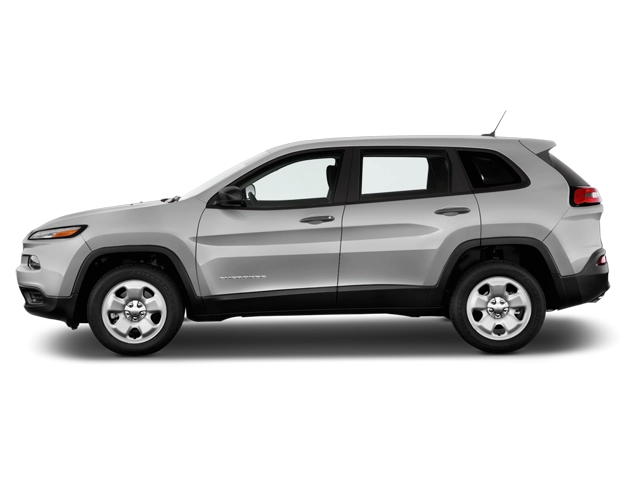
2026 Jeep Cherokee Owner's Manual
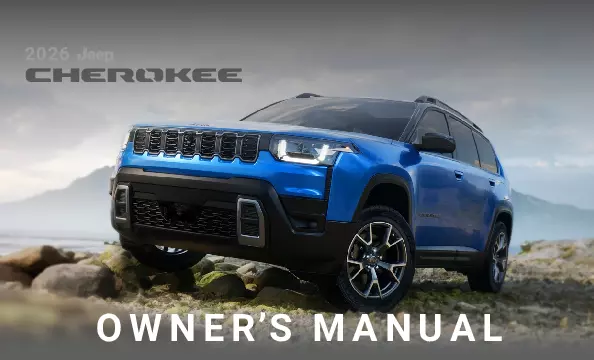
2026 Jeep Cherokee owners manual
Year:
2026
Make:
Jeep
Model:
Cherokee

Online manual

Size:
9.03 MB

Table of Contents

CONTENTS
3
INTRODUCTION
9
WELCOME
9
ROLLOVER WARNING
10
SYMBOLS KEY — DANGER, WARNINGS AND CAUTIONS
10
VEHICLE MODIFICATIONS/ALTERATIONS
11
SYMBOLS GLOSSARY
11
GETTING TO KNOW YOUR VEHICLE
14
KEYS
14
Key Fob
14
To Lock/Unlock The Doors And Liftgate
14
Using The Panic Feature
15
Key Left Vehicle Feature
15
Using The Key Fob To Open Vehicle Windows — If Equipped
15
Replacing The Battery In The Key Fob
15
Programming And Requesting Additional Key Fobs
17
Auto Key Off
17
Sentry Key
17
REMOTE START — IF EQUIPPED
18
Description
18
How To Use Remote Start
18
To Exit Remote Start Mode
19
Remote Start Front Defrost Activation — If Equipped
19
Remote Start Comfort Systems — If Equipped
19
Remote Start Windshield Wiper De-Icer Activation — If Equipped
19
Remote Start Cancel Message — If Equipped
19
VEHICLE SECURITY SYSTEM — IF EQUIPPED
20
To Arm The System
20
To Disarm The System
20
Rearming Of The System
20
Security System Manual Override
20
Tamper Alert
20
DOORS
21
Power Door Locks
21
Interior Door Opening
21
Keyless Enter ‘n Go™ — Passive Entry
22
Automatic Unlock Doors On Exit
23
Automatic Door Locks — If Equipped
23
Child-Protection Door Lock System — Rear Doors
23
Manual Door Latching
24
WINDOWS
25
Power Window Controls
25
Automatic Window Features
25
Reset Auto-Up
26
Window Lockout Switch
26
MIRRORS
26
Inside Rearview Mirror
26
Automatic Dimming Mirror — If Equipped
26
Digital Rearview Mirror — If Equipped
26
Illuminated Vanity Mirrors
27
Sun Visor Slide-On-Rod Feature — If Equipped
27
Outside Mirrors
27
Outside Mirrors Folding Feature
27
Outside Mirrors With Turn Signal And Approach Lighting — If Equipped
28
Outside Automatic Dimming Mirror — If Equipped
28
Power Mirrors
28
Heated Mirrors
28
USER MEMORY SETTINGS
28
Description
28
Programming The Memory Feature
29
Linking And Unlinking The Key Fob To Memory
29
Memory Position Recall
29
HEAD RESTRAINTS
29
Description
29
Front Head Restraints
30
Rear Head Restraints
30
FRONT SEATS
30
Power Adjustment Front Seats — If Equipped
30
Adjusting The Seat Forward Or Rearward
31
Adjusting The Seat Up Or Down
31
Tilting The Seat Up Or Down — If Equipped
31
Reclining The Seatback
31
Power Lumbar — If Equipped
31
Easy Entry/Exit Seat — If Equipped
31
Heated Seats — If Equipped
32
Front Heated Seats
32
Ventilated Seats — If Equipped
32
Front Ventilated Seats
32
REAR SEATS
33
Manual Adjustment Rear Seats
33
Second Row Bench Seat
33
Second Row Bench Fold Flat Seat
33
Heated Seats — If Equipped
33
Rear Heated Seats — If Equipped
33
OCCUPANT RESTRAINT SYSTEMS
34
Occupant Restraint Systems Features
34
Important Safety Precautions
34
Seat Belt Systems
34
Enhanced Seat Belt Use Reminder System (BeltAlert)
35
Lap/Shoulder Belts
35
Lap/Shoulder Belt Operating Instructions
36
Lap/Shoulder Belt Untwisting Procedure
37
Adjustable Upper Shoulder Belt Anchorage
37
Second Row Center Seat Belt Operating Instructions
38
Seat Belt Extender — If Equipped
39
Seat Belts And Pregnant Women
39
Seat Belt Pretensioner
39
Energy Management Feature
39
Switchable Automatic Locking Retractor (ALR)
40
SUPPLEMENTAL RESTRAINT SYSTEMS (SRS)
40
Air Bag System Components
41
Air Bag Warning Light
41
Redundant Air Bag Warning Light
41
Front Air Bags
41
Driver And Passenger Front Air Bag Features
42
Front Air Bag Operation
42
Occupant Classification System (OCS) — Front Passenger Seat
43
Knee Impact Bolsters
46
Supplemental Driver Knee Air Bag
46
Supplemental Side Air Bags — If Equipped
46
Air Bag System Components
48
If A Deployment Occurs
48
Enhanced Accident Response System
49
Enhanced Accident Response System Reset Procedure
49
Maintaining Your Air Bag System
49
Event Data Recorder (EDR)
50
CHILD RESTRAINTS
50
Summary Of Recommendations For Restraining Children In Vehicles
51
Infant And Child Restraints
51
Older Children And Child Restraints
51
Children Too Large For Booster Seats
52
Recommendations For Attaching Child Restraints
53
Lower Anchors And Tethers For CHildren (LATCH) Restraint System
53
LATCH Positions For Installing Child Restraints In This Vehicle
54
Locating The LATCH Anchorages
55
Locating The Upper Tether Anchorages
55
Center Seat LATCH
56
How To Stow An Unused Switchable-ALR (ALR) Seat Belt:
56
Installing Child Restraints Using The Vehicle Seat Belt
56
To Install A LATCH-Compatible Child Restraint
57
Lap/Shoulder Belt Systems For Installing Child Restraints In This Vehicle
57
Installing A Child Restraint With A Switchable Automatic Locking Retractor (ALR):
58
Installing Child Restraints Using The Top Tether Anchorage
58
STEERING WHEEL AND CONTROLS
59
Tilt/Telescoping Steering Column
59
Power Steering
59
Heated Steering Wheel
60
START BUTTON
60
Keyless Enter ‘n Go™ Ignition
60
WIPERS AND WASHERS
62
Description
62
Windshield Wiper Operation
62
Intermittent Wiper System
62
Windshield Washer Operation
62
Mist
62
Rear Wiper And Washer
62
Rain Sensing Wipers — If Equipped
63
Windshield Wiper De-Icer — If Equipped
63
EXTERIOR LIGHTS
63
Headlight Switch
63
Multifunction Lever
64
Daytime Running Lights (DRLs)
64
High/Low Beam Switch
64
Automatic High Beams — If Equipped
64
Flash-To-Pass
65
Automatic Headlights
65
Parking Lights And Panel Lights
65
Headlights On Automatically With Wipers
65
Headlight Illumination On Approach
65
Headlight Delay
66
Lights-On Reminder
66
Fog Lights
66
Turn Signals
66
Lane Change Assist — If Equipped
66
Automatic Headlight Leveling — If Equipped
66
Battery Saver
66
INTERIOR LIGHTS
67
Courtesy Lights
67
Front Map/Reading Lights
67
Rear Courtesy/Reading Lights
67
Dimmer Controls
67
Multicolor Ambient Lighting — If Equipped
67
Illuminated Entry — If Equipped
68
ROOF SYSTEMS
68
Dual Pane Power Sunroof — If Equipped
68
Opening And Closing The Sunroof
68
Opening And Closing The Power Sunshade
69
Pinch Protect Feature
69
Vehicle Off Operation
69
Sunroof Maintenance
69
Roof Luggage Rack — If Equipped
69
UNIVERSAL GARAGE DOOR OPENER (HOMELINK®) — IF EQUIPPED
70
Description
70
Before You Begin Programming HomeLink®
70
Identifying Whether You Have A Rolling Code Or Non-Rolling Code Device
71
Programming HomeLink® To A Garage Door Opener
71
Programming HomeLink® To A Miscellaneous Device
72
Reprogramming A Single HomeLink® Button
72
Canadian/Gate Operator Programming
72
Security
73
Erasing All The HomeLink® Channels
73
Troubleshooting Tips
73
INTERIOR STORAGE AND FEATURES
73
Storage
73
Glove Compartment
73
Front Center Console
73
Sunglasses Bin Door
74
USB Control
74
Connecting The External USB Device
74
Using This Feature
74
Second Row USB Ports — If Equipped
75
Electrical Power Outlets
75
Power Inverter — If Equipped
76
Wireless Charging Pad — If Equipped
76
HOOD
77
Opening The Hood
77
Closing The Hood
78
LIFTGATE
79
To Unlock/Open The Liftgate
79
To Lock/Close The Liftgate
79
Adjustable Power Liftgate Height
79
Hands-Free Liftgate — If Equipped
80
Cargo Area Features
81
Cargo Storage
81
Cargo Tie-Down Hooks
81
Foldable Cargo Area Cover — If Equipped
82
Cargo Net — If Equipped
83
DASHBOARD INSTRUMENTS AND CONTROLS
84
INSTRUMENT CLUSTER
84
10.25-Inch Instrument Cluster
84
Instrument Cluster Descriptions
85
Instrument Cluster Display
85
Location And Controls
85
Instrument Cluster Display Selectable Menu Items
86
Driver Info
86
Audio
86
Messages
87
Settings Menu
87
Off Road
87
Vehicle Info
87
Engine Oil Life Reset
88
Battery Saver On/Battery Saver Mode Message — Electrical Load Reduction Actions — If Equipped
88
WARNING LIGHTS AND MESSAGES
89
Warning Messages
90
Stop Safely Vehicle Will Shut Off Soon
90
Fire Danger! Pull Over Now! Exit Vehicle!
90
Drive-By-Brake Warning Message
90
Red Warning Lights
91
Air Bag Warning Light
91
Brake Warning Light
91
Battery Charge Warning Light
91
Door Open Warning Light
91
Drowsy Driver Detection Warning Light — If Equipped
91
Electric Power Steering (EPS) Fault Warning Light
92
Service Electrical System Warning Light — If Equipped
92
Engine Coolant Temperature Warning Light
92
Hood Open Warning Light
92
High Voltage Coolant Low Warning Light
92
Liftgate Open Warning Light
92
Oil Pressure Warning Light
92
Oil Temperature Warning Light
92
Seat Belt Reminder Warning Light
92
Speed Warning Light — If Equipped
93
Traction Battery Failure Warning Light
93
Transmission Temperature Warning Light
93
Vehicle Security Warning Light — If Equipped
93
Yellow Warning Lights
93
Anti-Lock Brake System (ABS) Warning Light
93
Active Lane Management Warning Light — If Equipped
93
Acoustic Vehicle Alerting System (AVAS) Fault Warning Light — If Equipped
93
Drowsy Driver Detected System Fault Warning Light — If Equipped
93
Electric Park Brake Warning Light
93
Electronic Stability Control (ESC) Active Warning Light
94
Electronic Stability Control (ESC) OFF Warning Light
94
Low Fuel Warning Light
94
Low Gear Fault Warning Light
94
Low Washer Fluid Warning Light
94
Engine Check/Malfunction Indicator Warning Light (MIL)
94
Service 4WD Warning Light — If Equipped
94
Service Active Lane Management Warning Light — If Equipped
95
Service Adaptive Cruise Control (ACC) Warning Light
95
Service Forward Collision Warning (FCW) Or Pedestrian Emergency Braking (PEB) Warning Light
95
Tire Pressure Monitoring System (TPMS) Warning Light
95
Trailer Fault Warning Light — If Equipped
96
Traction Battery Cut-Off Warning Light — If Equipped
96
Traffic Sign Recognition (TSR) Fault Warning Light — If Equipped
96
Green Indicator Lights
96
Adaptive Cruise Control (ACC) Set With Target Indicator Light — If Equipped
96
Adaptive Cruise Control (ACC) Set With No Target Detected Indicator Light — If Equipped
96
Auto HOLD Indicator Light — If Equipped
96
Front Fog Indicator Light
96
Rough Road Cruise Control Indicator Light — If Equipped
96
Parking/Headlights On Indicator Light
96
Turn Signal Indicator Lights
96
Yellow Indicator Lights
96
Auto HOLD! Fault Indicator Light — If Equipped
96
Forward Collision Warning (FCW) Or Pedestrian Emergency Braking (PEB) Off Indicator Light
97
Rear Fog Indicator Light — If Equipped
97
Trailer Detection Indicator Light - If Equipped
97
White Indicator Lights
97
Adaptive Cruise Control (ACC) Ready Indicator Light — If Equipped
97
Drive Mode - Auto Indicator Light
97
Drive Mode - Snow Indicator Light
97
Drive Mode - Sport Indicator Light
97
Rear Seat Unoccupied Indicator Light — If Equipped
97
Rough Road Cruise Control Indicator Light — If Equipped
97
Run Indicator Light
97
Low Gear Indicator Light
97
Blue Indicator Lights
97
High Beam Indicator Light
97
EMISSIONS INSPECTION AND MAINTENANCE PROGRAMS
97
ONBOARD DIAGNOSTIC SYSTEM
98
Description
98
Onboard Diagnostic System (OBD II) Cybersecurity
98
CLIMATE CONTROLS
99
Description
99
Automatic Climate Control Descriptions And Functions
99
Max A/C Button
99
A/C Button
99
Recirculation Button
99
AUTO Button
100
MAX Defrost Button
100
Rear Defrost Button
100
Driver And Passenger Temperature Switches
100
SYNC Button
100
Blower Control
100
Tri-Mode Climate
101
Climate Control OFF Button
101
Automatic Temperature Control (ATC)
101
Automatic Operation
101
Manual Operation Override
101
Climate Voice Recognition
101
Operating Tips
101
Vacation/Storage
102
Window Fogging
102
Outside Air Intake
102
Cabin Air Filter
102
Windshield Wiper De-Icer — If Equipped
102
Operating Tips Chart
102
INFOTAINMENT
104
INTRODUCTION
104
Identifying Your radio
104
RADIO OPERATION, MOBILE PHONES, AND CYBERSECURITY
104
Radio Operation And Mobile Phones
104
Regulatory And Safety Information
104
Cybersecurity
104
MULTIMEDIA SYSTEM
105
Uconnect Voice Recognition Quick Tips — If Equipped
105
Introducing Voice Recognition
105
Basic Voice Commands
105
Get Started
105
Additional Information
105
Steering Wheel Audio Controls
106
Radio Operation
106
Media Mode
106
Uconnect Settings
106
Description
106
Customer Programmable Features
107
Display
107
My Profile
107
Safety/Assistance
107
Clock
107
Phone/Bluetooth®
107
Voice
107
Navigation
107
Camera
107
Mirrors & Wipers
108
Lights
108
Brakes
108
Doors & Locks
108
Seats & Comfort
108
Key Off Options
108
Audio
108
Notifications
108
SiriusXM® Setup
108
Accessibility
108
Software Updates
108
System Information
108
Reset
108
OFF-ROAD PAGES — IF EQUIPPED
108
Description
108
Vehicle Dynamics
109
Accessory Gauge
109
Pitch & Roll
109
Select Terrain
109
STARTING AND OPERATING
110
STARTING PROCEDURE
110
Normal Starting
110
After Starting
110
If Engine Fails To Start
110
AutoPark
111
To Turn Off The Vehicle Using Power Button
113
BRAKES
113
Brake System
113
Electric Park Brake (EPB)
113
Auto Park Brake
115
SafeHold
115
Auto Hold — If Equipped
115
Brake Maintenance Mode
115
TRANSMISSIONS
116
Automatic Transmission
116
Ignition Park Interlock
117
Brake/Transmission Shift Interlock (BTSI) System
117
Hybrid Transmission
117
Gear Ranges
117
PARK (P)
117
REVERSE (R)
118
NEUTRAL (N)
118
DRIVE (D)
118
Transmission Limp Home Mode
118
SELEC-TERRAIN
119
Selec-Terrain Mode Selection
119
Instrument Cluster Display Messages
119
HIGH VOLTAGE BATTERY
119
Hybrid Electric Vehicle App
121
Power Flow
121
Driving History
121
REFUELING THE VEHICLE
121
VEHICLE LOADING
123
Gross Vehicle Weight Rating (GVWR)
123
Payload
123
Gross Axle Weight Rating (GAWR)
123
Tire Size
123
Rim Size
123
Inflation Pressure
123
Curb Weight
123
Loading
123
TRAILER TOWING
123
Common Towing Definitions
123
Gross Vehicle Weight Rating (GVWR)
123
Gross Trailer Weight (GTW)
124
Gross Combination Weight Rating (GCWR)
124
Gross Axle Weight Rating (GAWR)
124
Tongue Weight (TW)
124
Trailer Frontal Area
124
Trailer Sway Control (TSC)
124
Weight-Carrying Hitch
124
Weight-Distributing Hitch
124
Recommended Distribution Hitch Adjustment
124
Trailer Hitch Classification
125
Trailer Towing Weights (Maximum Trailer Weight Ratings)
126
Trailer Hitch Receiver Cover Removal — If Equipped
126
Trailer And Tongue Weight
126
Towing Requirements
127
Towing Requirements — Tires
127
Towing Requirements — Trailer Brakes
128
Towing Requirements — Trailer Lights And Wiring
128
Towing Tips
129
Automatic Transmission
129
Cruise Control — If Equipped
129
RECREATIONAL TOWING
129
Towing This Vehicle Behind Another Vehicle
129
Recreational Towing
129
DRIVING TIPS
129
On-Road Driving Tips
129
Off-Road Driving Tips
130
When To Use 4WD LOW — If Equipped
130
Driving Through Water
130
Driving In Sand, Mud And Snow
130
Hill Climbing
130
Traction Downhill
131
After Driving Off-Road
131
ENHANCED DRIVING ASSISTANCE SYSTEMS
132
SENSORS
132
Audible Pedestrian Warning System
132
Rear Seat Reminder Alert (RSRA)
132
COLLISION AVOIDANCE ASSISTANCE SYSTEM
133
Forward Collision Warning (FCW) With Mitigation
133
FCW Braking Status And Sensitivity
133
FCW Limited Warning
134
Service FCW Warning
134
Pedestrian Emergency Braking (PEB)
134
Intersection Collision Assist (ICA)
135
VEHICLE STABILITY ASSISTANCE SYSTEM
135
Electronic Stability Control (ESC)
135
ESC Operating Modes
135
ESC Activation/Malfunction Indicator Light And ESC OFF Indicator Light
136
Traction Control System (TCS)
136
Trailer Sway Control (TSC)
136
Electronic Roll Mitigation (ERM)
137
BRAKING PERFORMANCE ASSISTANCE SYSTEM
137
Brake System Warning Light
137
Ready Alert Braking (RAB)
137
Electronic Brake Force Distribution (EBD)
137
Ready Alert Braking (RAB)
137
Anti-Lock Brake System (ABS)
137
Anti-Lock Brake System (ABS) Warning Light
138
VISIBILITY ASSISTANCE SYSTEM
138
Blind Spot Monitoring (BSM)
138
Rear Cross Path (RCP)
140
Blind Spot Modes
141
Trailer Merge Assist — If Equipped
141
LANE CENTERING ASSISTANCE SYSTEM
143
Active Lane Management System
143
Active Lane Management Operation
143
Turning Active Lane Management On Or Off
143
Active Lane Management Warning Message
144
Changing Active Lane Management Status
144
Active Driving Assist System — If Equipped
145
Operation
145
Hands-On Sub Features
145
Turning Active Driving Assist On Or Off
146
Indications On The Display
147
System Status
148
System Operation/Limitations
148
PARKING AND REVERSE OPERATIONS ASSISTANCE SYSTEM
149
ParkSense Front/Rear Park Assist System With Stop — If Equipped
149
ParkSense Sensors
149
ParkSense Display
150
ParkSense Warning Display
151
Enabling And Disabling ParkSense
152
Service The ParkSense Park Assist System
152
Cleaning The ParkSense System
152
ParkSense System Usage Precautions
152
Side Distance Warning System — If Equipped
153
Side Distance Warning Display
153
Activation/Deactivation
153
Side Distance Warning Usage Precautions
154
ParkSense Active Park Assist System — If Equipped
154
Enabling And Disabling The ParkSense Active Park Assist System
155
ParkSense Automatic Park Assist
156
Parallel/Perpendicular Parking Space Assistance Operation
156
Exiting A Parking Space
157
Parking Maneuver Paused/Canceled
158
ParkView Rear Backup Camera
158
Surround View Camera System
159
Zoom View
162
Turn Signal Activated Blind Spot Assist — If Equipped
162
Forward Facing Camera With Tire Lines — If Equipped
162
DRIVER ATTENTION ASSISTANCE SYSTEM
163
Drowsy Driver Detection (DDD) — If Equipped
163
To Activate/Deactivate
163
System Intervention
163
SPEED CONTROL ASSISTANCE SYSTEM
163
Adaptive Cruise Control (ACC)
163
Adaptive Cruise Control (ACC) Operation
164
Driving Assist Menu
164
Activating Adaptive Cruise Control (ACC)
165
To Activate/Deactivate
165
To Set A Desired Speed
165
To Cancel
165
To Turn Off
166
To Resume
166
To Vary The Speed Setting
166
Setting The Following Distance In ACC
166
Overtake Aid
167
ACC Operation At Stop
167
Display Warnings And Maintenance
168
“Wipe Front Radar Sensor In Front Of Vehicle” Warning
168
“Clean Front Windshield” Warning
168
Service ACC Warning
169
Precautions While Driving With ACC
169
Towing A Trailer
169
Offset Driving
169
Turns And Bends
169
Using ACC On Hills
169
Lane Changing
169
Narrow Vehicles
170
Stationary Objects And Vehicles
170
Rough Road Cruise Control (RRCC) — If Equipped
170
Rough Road Cruise Control (RRCC) Operation
170
To Activate/Deactivate
170
To Set A Desired Speed
171
To Cancel
171
To Resume
171
OFF ROAD AND LOW-RANGE OPERATIONS ASSISTANCE SYSTEM
171
Hill Start Assist (HSA)
171
Disabling And Enabling HSA
172
Towing With HSA
172
UTILITY FEATURES ASSISTANCE SYSTEM
172
Traffic Sign Assist System — If Equipped
172
Activation/Deactivation
172
Traffic Sign Assist Modes
172
Indications On The Display
172
Tire Pressure Monitoring System (TPMS)
173
Tire Pressure Monitoring System Low Pressure Warnings
174
Service TPMS Warning
175
TPMS Deactivation — If Equipped
175
Tire Fill Alert
176
Selectable Tire Fill Alert (STFA) — If Equipped
176
IN CASE OF EMERGENCY
178
HAZARD WARNING FLASHERS
178
ASSIST AND SOS SYSTEM— IF EQUIPPED
178
JACKING THE VEHICLE AND WHEEL CHANGING — IF EQUIPPED
180
Preparations For Jacking
180
Jack Location/Spare Tire Stowage
181
Jacking Instructions
182
TIRE SERVICE KIT — IF EQUIPPED
183
JUMP STARTING
188
Description
188
Preparations For Jump Start (Hybrid Models)
188
Jump Starting Procedure
189
FREEING A STUCK VEHICLE
189
TOWING A DISABLED VEHICLE
190
Description
190
Without The Key Fob
191
ENHANCED ACCIDENT RESPONSE SYSTEM (EARS)
191
EVENT DATA RECORDER (EDR)
191
MAINTENANCE AND VEHICLE CARE
192
ENGINE BREAK-IN RECOMMENDATIONS
192
SAFETY TIPS
192
Transporting Passengers
192
Transporting Pets
192
Connected Vehicles
192
Safety Checks You Should Make Inside The Vehicle
192
Seat Belts
192
Air Bag Warning Light
193
Defroster
193
Floor Mat Safety Information
193
Periodic Safety Checks You Should Make Outside The Vehicle
194
Tires
194
Lights
194
Door Latches
194
Fluid Leaks
194
SCHEDULED SERVICING
194
Description
194
Maintenance Plan — 1.6L HEV
194
ENGINE COMPARTMENT
198
1.6 Liter HEV
198
Checking Oil Level
199
Adding Washer Fluid
199
Maintenance-Free Battery
199
Pressure Washing
200
VEHICLE MAINTENANCE
200
Description
200
Engine Oil
200
Engine Oil Selection
200
American Petroleum Institute (API) Approved Engine Oil
200
Synthetic Engine Oils
200
Materials Added To Engine Oil
200
Disposing Of Used Engine Oil And Oil Filters
200
Engine Oil Filter
200
Engine Air Cleaner Filter
200
Engine Air Cleaner Filter Inspection and Replacement
201
Air Conditioner Maintenance
201
Refrigerant Recovery And Recycling — R–1234yf
202
Cabin Air Filter Replacement
202
Accessory Drive Belt Inspection
203
Body Lubrication
204
Windshield Wiper Blades
204
Front Wiper Blade Removal/Installation
204
Rear Wiper Blade Removal/Installation
205
Cooling System
205
Brake System
205
Fluid Level Check — Brake Master Cylinder
206
FUSES
206
General Information
206
Rear Power Distribution Center
207
Underhood Fuses
216
LIGHT REPLACEMENT
223
Replacement Bulbs, Names, And Part Numbers
223
TIRES AND WHEELS
223
Tire Safety Information
223
Tire Markings
224
Tire Sizing Chart
224
Tire Identification Number (TIN)
226
Tire Terminology And Definitions
227
Tire Loading And Tire Pressure
228
Loading
228
Tires — General Information
230
Tire Pressure
230
Tire Inflation Pressures
231
Tire Pressures For High Speed Operation
231
Radial Ply Tires
232
Run Flat Tires — If Equipped
232
Tire Spinning
232
Tread Wear Indicators
232
Life Of Tire
233
Replacement Tires
233
Tire Types
233
All Season Tires — If Equipped
233
Summer Or Three Season Tires — If Equipped
234
Snow Tires
234
Spare Tires — If Equipped
234
Spare Tire Matching Original Equipped Tire And Wheel — If Equipped
234
Compact Spare Tire — If Equipped
234
Collapsible Spare Tire — If Equipped
235
Full-Size Spare — If Equipped
235
Limited Use Spare — If Equipped
235
Wheel And Wheel Trim Care
235
Snow Traction Devices
236
Tire Rotation Recommendations
237
DEPARTMENT OF TRANSPORTATION
238
Description
238
Treadwear
238
Traction Grades
238
Temperature Grades
238
VEHICLE STORAGE
239
Description
239
Description
239
BODYWORK AND EXTERIOR CARE
240
Protection From Atmospheric Agents
240
What Causes Corrosion?
240
Body And Underbody Maintenance
240
Cleaning Headlights
240
Exterior Lamp Lens Fogging or Condensation
240
Preserving The Bodywork
240
Washing
240
Special Care
241
INTERIOR CARE
241
Seats And Fabric Parts
241
Seat Belt Maintenance
241
Plastic And Coated Parts
241
Cleaning Plastic Instrument Cluster Lenses
241
Leather Surfaces
242
TECHNICAL SPECIFICATIONS
243
VEHICLE IDENTIFICATION NUMBER (VIN)
243
Description
243
FUEL REQUIREMENTS
243
Description
243
1.6L Engine
243
Reformulated Gasoline
243
Materials Added To Fuel
243
Gasoline/Oxygenate Blends
243
Do Not Use E-85 In Non-Flex Fuel Vehicles
244
CNG And LP Fuel System Modifications
244
MMT In Gasoline
244
Fuel System Cautions
244
FLUIDS AND LUBRICANTS
245
Specifications
245
FLUID CAPACITIES
246
Specifications
246
WHEEL AND TIRES
247
Description
247
Torque Specifications
247
CUSTOMER ASSISTANCE
249
CUSTOMER ASSISTANCE
249
Roadside Assistance
249
FCA US LLC Customer Center
250
FCA Canada Customer Care
250
Mexico
250
Puerto Rico And US Virgin Islands
250
Customer Assistance For The Hearing Or Speech Impaired (TDD/TTY)
250
Service Contract
251
Warranty Information
251
Ordering and Accessing Additional Owner’s Information
251
Change Of Ownership Or Address
251
General Information
252
Reporting Safety Defects
252
In The 50 United States And Washington, D.C.
252
In Canada
252
INDEX
253

2026 Jeep Cherokee Overview

Owner's Manual

The 2026 Jeep Cherokee Owner's Manual serves as an essential guide for new and experienced owners alike. This comprehensive document outlines the vehicle’s features, functions, and specifications, providing crucial information that ensures a smooth ownership experience. Within its pages, drivers will find instructions on proper operation, maintenance schedules, and safety precautions to enhance their driving experience. The manual also addresses frequently asked questions and troubleshooting tips, making it a vital resource for resolving common issues. By familiarizing yourself with the Owner's Manual, you can maximize the performance and longevity of your Jeep Cherokee, while also ensuring your safety and that of your passengers. Remember, a thorough understanding of your vehicle’s capabilities will empower you to explore the great outdoors with confidence.

Introduction

The 2026 Jeep Cherokee redefines versatility and adventure in the compact SUV segment. Renowned for its rugged heritage and modern performance, the Cherokee offers an exciting blend of style, functionality, and cutting-edge technology. With its bold design, convenient interior, and advanced safety features, this model is well-suited for urban commutes and off-road excursions alike. As Jeep continues to innovate, this latest iteration features enhanced engine options and a suite of connectivity features, establishing the 2026 Cherokee as an ideal companion for those who crave adventure without sacrificing comfort or convenience.

Powertrains

The 2026 Jeep Cherokee offers an impressive lineup of powertrains designed to cater to varying driving preferences and needs. The base model features a spirited 2.4-liter four-cylinder engine, delivering a perfect balance of power and efficiency. For those seeking more performance, an available 3.2-liter V6 engine provides an exhilarating driving experience with robust towing capabilities. Both engines are mated to a smooth-shifting nine-speed automatic transmission, ensuring seamless transitions and optimal fuel economy. Additionally, the Jeep Active Drive system in select trims enhances off-road prowess, allowing drivers to conquer diverse terrains with ease.

Features

The 2026 Jeep Cherokee is packed with a variety of features designed to enhance both comfort and functionality. Standard features include a responsive 8.4-inch touchscreen infotainment system with Apple CarPlay and Android Auto capabilities, allowing seamless smartphone integration. Safety features abound, with available options such as adaptive cruise control, blind-spot monitoring, and lane-keeping assist, ensuring peace of mind behind the wheel. Additionally, spacious and versatile seating accommodates up to five passengers, while clever storage solutions and cargo capacity make the Cherokee an excellent choice for weekend getaways or daily errands. From advanced tech to rugged capability, the 2026 Jeep Cherokee strikes the perfect balance for adventurous lifestyles.

User manual download

The Jeep Cherokee owner manual for the 2026 model year is to be found in PDF downloadable format on this page. The owner manual for the model year 2026 is free and in English, but the repair manuals are usually not easy to get and may cost more.

Posted by, John Mana author bio image
A passionate guy about car models, makes, and manuals.

Manual Questions

Do you have questions about the 2026 Jeep Cherokee owners manual?
Fill the form below and someone will help you!