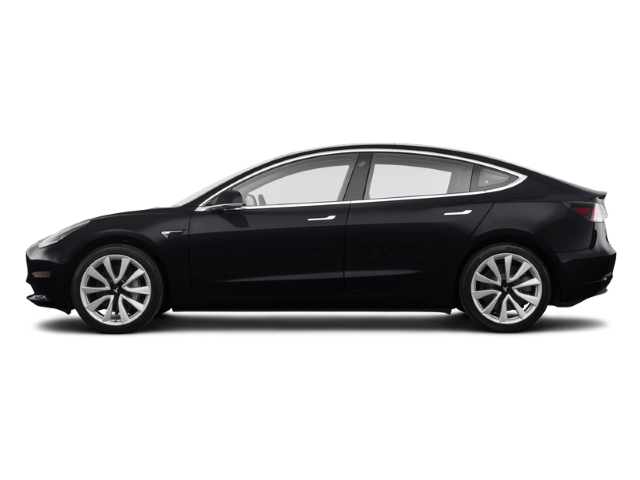
2026 Tesla Model 3 Owner's Manual
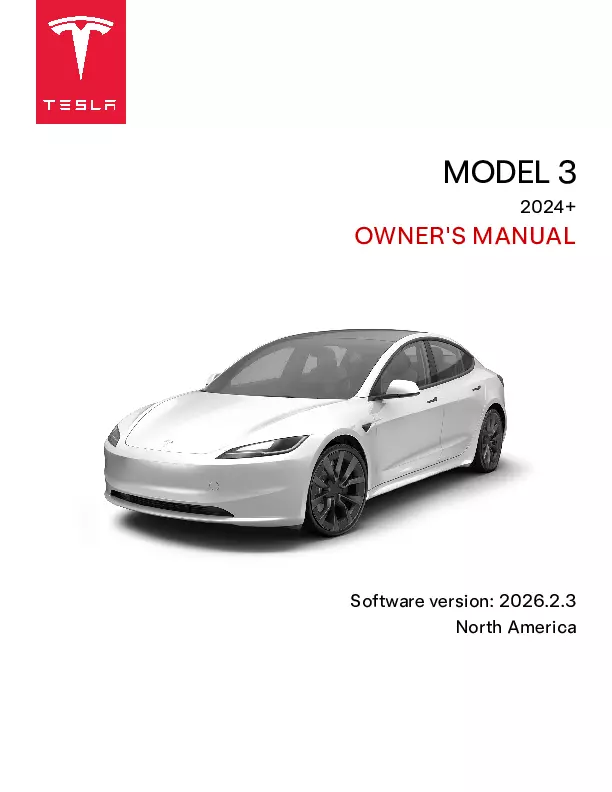
2026 Tesla Model 3 owners manual
Year:
2026
Make:
Tesla
Model:
Model 3

Online manual

Size:
9.79 MB

Table of Contents

Overview
5
Exterior
5
Interior
6
Touchscreen
8
Customizing My Apps
9
Top Status Bar Icons
10
Popup Messages and Vehicle Alerts
10
Restarting the Touchscreen
11
Rear Touchscreen
11
Control the rear touchscreen from the front
12
Customizing Display and Sound Settings
12
Naming your Vehicle
12
Setting Up Your Vehicle
12
Interior Electronics
13
USB Ports
13
Wireless Phone Chargers
13
Accessory Power
14
Low Voltage Power Outlet
14
Car Status
15
Overview
15
Cards
15
Indicator Lights
15
Driving Status
17
Voice Commands
18
Voice Commands
18
Examples of Voice Commands
18
Climate Controls
18
Windshield Wipers
18
Vehicle Controls
18
Navigation
18
Contacts
19
Media
19
Apps and Settings
19
Cameras
20
Cabin Camera
20
Front-Facing Camera (If Equipped)
20
Automatic Blind Spot Camera
20
Drive to Calibrate Cameras
20
Keeping Cameras Free of Obstructions
21
Opening and Closing
22
Keys
22
Types of Keys
22
Phone Key
22
Phone Left Behind Detection
22
Key Card
22
Key Fob
23
Passive Locking and Unlocking
24
Managing Keys
24
Add a Phone Key
24
Adding Keys from the Touchscreen
25
Adding Keys from the Mobile App
25
Removing Keys
25
Replacing the Key Fob Battery
25
Replacing Key Cards and Key Fobs
26
Doors
27
Using Exterior Door Handles
27
Opening Doors from the Interior
27
Interior Locking and Unlocking
27
Walk-Away Door Lock
27
Drive Away Locking
28
Driver Door Unlock Mode
28
Car Left Open Notifications
28
Child Locks
28
Unlock on Park
28
Windows
29
Opening and Closing
29
Locking Rear Windows
29
Calibrating Windows
29
UV Index Rating
29
Storage Areas
30
Rear Trunk
30
Opening
30
Hands-Free Trunk
30
Adjusting Opening Height of Powered Trunk
31
Closing
31
Accessing the Cargo Area
31
Rear Trunk Load Limits
31
Interior Emergency Trunk Release
31
Front Trunk
33
Opening
33
Closing
33
Load Limits
34
Interior Emergency Release
34
Interior Storage
35
Center Console
35
Rear Console
35
Glovebox
35
Coat Hangers
35
Seating and Safety Restraints
36
Front and Rear Seats
36
Adjusting the Front Seats Using the Seat Buttons
36
Adjusting the Front Seats Using the Touchscreen
36
Calibrating Seats
36
Correct Driving Position
36
Folding Rear Seats
37
Raising Rear Seats
37
Head Supports
37
Seat Heaters (If Equipped)
37
Seat Covers
38
Seat Belts
39
Wearing Seat Belts
39
Seat Belt Reminders
39
To Fasten a Seat Belt
39
To Adjust the Shoulder Anchor Height
39
To Release a Seat Belt
40
Wearing Seat Belts When Pregnant
40
Seat Belt Pre-tensioners
40
Testing Seat Belts
40
Seat Belt Warnings
41
Child Safety Seats
42
Guidelines for Seating Children
42
Choosing a Child Safety Seat
42
Seating Larger Children
43
Installing Child Safety Seats
44
Installing Seat Belt Retained Child Seats
44
Installing LATCH (ISOFIX) Child Seats
44
Attaching Upper Tether Straps
46
Testing a Child Safety Seat
46
Child Safety Seat Warnings
47
Airbags
48
Location of Airbags
48
How Airbags Work
49
Types of Airbags
49
Airbag Status Indicator
49
Front Passenger Occupant Detection
49
Ensuring Accurate Occupant Detection
50
Examples of Correct and Incorrect Seating Positions
51
Inflation Effects
52
Airbag Warnings
52
Connectivity
53
Mobile App
53
To Use the Mobile App
53
Mobile App for Apple Watch
53
Overview
53
Profile
54
Controls
54
Climate
54
Location
54
Summon
54
Schedule
54
Security
54
Upgrades
55
Service
55
Roadside
55
Granting Access to a Second Driver
55
Wi-Fi
56
Diagnostics
56
Hotspots
56
Troubleshooting Tips
56
Bluetooth
57
Bluetooth® Compatibility
57
Pairing a Phone or Bluetooth Device
57
Importing Contacts and Recent Calls
57
Disconnecting or Unpairing a Bluetooth Device
57
Switching Between Paired Devices
58
Troubleshooting Bluetooth
58
Smartphone Troubleshooting
58
Tesla Mobile App Troubleshooting
58
Vehicle Troubleshooting
58
Phone, Calendar, and Web Conferencing
59
Using the Phone App
59
Making a Phone Call
59
Receiving a Phone Call
59
In Call Options
59
Calendar
59
Zoom
60
Smart Garage
61
myQ
61
HomeLink Universal Transceiver
61
Supported Modes
61
Programming HomeLink
61
Auto Opening and Closing
62
Resetting the Location of the HomeLink Device
62
Deleting a Device
62
Troubleshooting HomeLink
63
Standard Mode
63
D-Mode and UR-Mode
63
Driving
64
Starting and Powering Off
64
Starting
64
Drive Disabled - Requires Authentication
64
Powering Off
64
Power Cycling the Vehicle
64
Steering Wheel
66
Adjusting the Steering Wheel Position
66
Using the Touchscreen
66
Using the Adjustment Lever
66
Adjusting Steering Weight
66
Steering Wheel Overview
67
Scroll Wheels
68
Left Scroll Wheel (Multifunction)
68
Left Scroll Wheel Customization
68
Right Scroll Wheel (Autopilot)
68
Both Scroll Wheels
69
Heated Steering Wheel
69
Horn
69
Mirrors
70
Adjusting Exterior Mirrors
70
Auto Dim and Auto Tilt (If Equipped)
70
Folding Mirrors (If Equipped)
70
Interior Mirrors
71
Rear View Mirror
71
Vanity Mirrors
71
Shifting
72
Shift Using the Touchscreen
72
Shift Using the Overhead Console
72
Auto Shift (Beta)
73
Park
73
Drive
73
Reverse
73
Neutral
73
Keeping Your Vehicle in Neutral (Tow Mode)
74
Lights
75
Controlling Lights
75
High Beam Headlights
75
Adaptive Headlights
76
Headlight Adjustments
76
Turn Signals Using Buttons
76
Turn Signals Using the Turn Stalk
77
Hazard Warning Flashers
77
Condensation in Head or Tail Lights
77
Wipers and Washers
78
Wipers and Washers
78
Braking and Stopping
79
Braking Systems
79
Emergency Braking
79
Brake Disc Wiping
80
Hydraulic Fade Compensation
80
Hydraulic Boost Compensation
80
Regenerative Braking
80
Parking Brake
81
Brake Wear
82
Park Assist
83
Tesla Vision Park Assist
83
Visual and Audio Feedback
83
Controlling Audible Feedback
83
Limitations and False Warnings
83
Other Parking Aids
84
Vehicle Hold
85
Traction Control
86
What It Is
86
Allowing Wheel Slip
86
Acceleration Modes
87
Suspension
88
Track Mode
89
Using Track Mode
89
Customizing Track Mode
89
Using the Lap Timer
90
Monitoring Vehicle Health
90
G-Meter
91
Driver Profiles
92
Selecting Between Driver Profiles
92
Using Tesla Profiles
92
Saved Settings
92
Linking a Driver Profile to a Key
93
Easy Entry
93
Valet Mode
93
Starting Valet Mode
93
Canceling Valet Mode
93
Trip Information
94
Displaying Trip Information
94
Odometer
94
Rear Facing Camera(s)
95
Camera Location
95
Pedestrian Warning System
96
Towing and Accessories
97
Carrying Capacity- Accessories
97
Non-Tesla Approved Accessory Carriers
97
Installing and Using a Carrier
97
Carrying Capacity- Trailer Towing
98
Tire Pressures when Towing
98
Before Towing a Trailer
100
Towing Guidelines
100
Trailer Mode
100
Parking with a Trailer
101
Connecting the Tow Hitch
101
Attaching and Removing the Ball Mount
102
Disconnecting the Tow Hitch
102
Electrical Connections
103
Impact on Range
103
Autopilot
104
About Autopilot
104
How It Works
104
Autopilot Conditions
105
AutopilotFeatures
107
Autopilot Settings
107
Traffic-Aware Cruise Control
107
Autosteer
108
Auto Lane Change
109
Navigate on Autopilot
109
Canceling Autopilot
111
While Using Autopilot
111
Maintaining the Set Speed
111
Changing the Set Speed
112
Adjusting the Following Distance
112
Stopping and Slowdowns
112
Cruising Near or On Exits
113
Overtake Acceleration
113
Stop Light and Stop Sign Warning
113
Emergency Vehicles
114
Take Over Immediately
114
Driver Attentiveness
114
Autopilot Suspension
114
Traffic Light and Stop Sign Control
115
Before Using
115
How it Works
115
Traffic Lights
117
Stop Signs and Road Markings
119
Limitations
120
Full Self-Driving (Supervised)
122
Before Using Full Self-Driving (Supervised)
122
Choosing a Speed Profile
123
Starting Full Self-Driving (Supervised)
123
Starting Full Self-Driving (Supervised) from the Touchscreen
123
While Using Full Self-Driving (Supervised)
124
Changing Lanes
124
Take Over Immediately
124
Arriving at Your Destination
124
Canceling Full Self-Driving (Supervised)
125
Driver Attentiveness
125
Autopilot Suspension
125
Autopark
127
Parameters
127
To Use Autopark
127
To Cancel Parking
128
Take Over Immediately
128
Summon
129
Before Using Summon
129
Operating Range
129
Using Summon
130
Limitations and Warnings
131
Limitations and Warnings
133
Traffic-Aware Cruise Control
133
Autosteer
134
Auto Lane Change
134
Stop Light and Stop Sign Warning
135
Navigate on Autopilot
135
Full Self-Driving (Supervised) (Autosteer on City Streets)
135
Autopark
136
Active Safety Features
137
Lane Assist
137
Steering Interventions
137
Lane Departure Avoidance
137
Emergency Lane Departure Avoidance
137
Blind Spot Assist
138
Blind Spot Collision Warning Chime
138
Blind Spot Warning Light
138
Limitations and Inaccuracies
138
Collision Avoidance Assist
140
Forward Collision Warning
140
Automatic Emergency Braking
141
Multi-Collision Braking
141
Rear Cross-Traffic Alert
141
Obstacle-Aware Acceleration
142
Limitations and Inaccuracies
142
Speed Assist
144
How Speed Assist Works
144
Controlling Speed Assist
144
Limitations and Inaccuracies
144
Cabin Camera
145
Cabin Radar
146
Dashcam, Sentry, and Security
147
Safety & Security Settings
147
About the Security System
147
Tilt/Intrusion (if equipped)
147
Parental Controls
147
PIN to Drive
148
Glovebox PIN
148
Speed Limit Mode
148
Clear Browser Data
148
Dashcam
149
How to Use Dashcam
149
Sentry Mode
151
How to Use Sentry Mode (With a USB Flash Drive)
151
How to Use Sentry Mode (Without a USB Flash Drive)
152
Sentry Mode Settings
152
USB Drive Requirements for Recording Videos
153
Automatically Formatting a USB Drive
153
Manually Formatting a USB Drive
153
Viewing Video Recordings
153
Viewing on the Touchscreen
153
Viewing on a Computer
154
Climate
155
Operating Climate Controls
155
Overview of Climate Controls
155
Adjusting Climate Control Settings
155
Climate Popup
157
Keep Climate On, Dog, and Camp
157
Cabin Overheat Protection
158
Climate Control Operating Tips
158
Adjusting the Front and Rear Vents
160
Cabin Air Filter(s)
161
Cold Weather Best Practices
162
Before Driving
162
Charge Port
162
Charging
162
Windows
162
Doors
162
Removing Ice From Door Handle
162
Mirrors
163
Wipers
163
Tires and Tire Chains
163
While Driving
164
Regenerative Braking
164
Cold Battery
164
After Driving
164
Scheduled Precondition
164
Storage
164
Hot Weather Best Practices
165
Before Driving
165
After Driving
165
Charging
165
Storage
165
Navigation and Entertainment
166
Maps and Navigation
166
Map Overview
166
Map Display
166
Navigation Settings
166
Navigating to a Destination
167
Selecting an Alternate Route
168
Adding Stops to a Route
168
Automatic Navigation
168
Lucky and Hungry
169
Home, Work, and Favorite Destinations
169
Charging Locations
169
Predicting Energy Usage
170
Online Routing
171
Trip Planner
171
Map Updates
172
Media
173
Overview
173
Volume Controls
173
Media Settings
173
Searching Audio Content
174
Caraoke
174
Grok (Beta)
174
Recents and Favorites
174
Playing Media from Devices
174
USB Flash Drives
174
Bluetooth Connected Devices
175
Theater, Arcade, and Toybox
176
Overview
176
Toybox
176
Boombox
177
Uninstall Games
178
Gaming Controllers
178
Charging and Energy Consumption
179
Electric Vehicle Components
179
High Voltage Components
179
Charging Equipment
180
High Voltage Battery Information
181
Battery Care
181
Tips to Maximize High Voltage Battery Health
181
Temperature Limits
182
Energy Saving Feature
182
Submerged Vehicle
182
Battery Warnings and Cautions
182
Charging Instructions
183
Opening the Charge Port
183
Plugging In
183
Charge Port Light
184
Charging Status
184
During Charging
184
Stopping Charging
185
Charge Settings
185
Supercharger Fees
186
Third Party Chargers
187
Manually Releasing Charge Cable
187
Charging Best Practices
188
Scheduled Precondition and Charge
189
Create a Schedule
189
Using Scheduled Charging
189
Preconditioning
189
Getting Maximum Range
191
Factors Affecting Energy Consumption
191
Tips to Maximize Range
191
Range Assurance
191
Energy App
192
Low Power Mode
192
High Voltage Battery Health
193
Running the Battery Health Test
193
Understanding Results
193
Maintenance
194
Software Updates
194
Loading New Software
194
Downloading vs. Installing New Software
194
Software Update Preferences
194
Charging
194
Viewing Release Notes
194
Maintenance Service Intervals
195
Service Intervals
195
Schedule Service
195
Daily Checks
195
Weekly Checks
195
Monthly Checks
195
Periodic Checks
196
Maintenance Summary
196
Fluid Replacement Intervals
196
Software
196
High Voltage Safety
196
Tire Care and Maintenance
197
Displaying Tire Pressures
197
Vehicles with Direct TPMS
197
Vehicles with Indirect TPMS
197
Maintaining Tire Pressures
197
Checking and Adjusting Tire Pressures
197
Calibrating Tire Pressure
198
Inspecting and Maintaining Tires
198
Tire Wear
198
Tire Rotation, Balance, and Wheel Alignment
198
Punctured Tires
199
Flat Spots
199
Improving Tire Mileage
199
Replacing Tires and Wheels
199
Asymmetric Tires
200
Removing and Installing Wheel Covers
200
Removing and Installing Lug Nut Covers
200
Wheel Configuration
201
Tire Configuration
201
Tire Pressure Monitoring
201
TPMS Malfunction
202
Automatic Reset of TPMS Sensors (If Equipped)
202
Replacing a Tire Sensor (If Equipped)
202
Seasonal Tire Types
202
Understand Your Tire Type
202
Summer and All-Season Tires
202
Winter Tires
203
Driving in Low Temperatures
203
Using Tire Chains
203
Cleaning
204
Cleaning the Exterior
204
Window Cleaning and Treatments
204
Car Wash Mode
204
Cleaning a Camera
204
Cautions for Exterior Cleaning
204
Cleaning the Interior
205
Interior Glass
205
Airbags
205
Steering Wheel
205
Dashboard and Plastic Surfaces
205
Interior Lighting
205
Seats
206
Carpets
206
Seat Belts
206
Door Seals
206
Front and Rear Touchscreens
206
Chrome and Metal Surfaces
206
Cautions for Interior Cleaning
207
Polishing, Touch Up, and Body Repair
207
Using a Car Cover
207
Floor Mats
207
Windshield Wiper Blades, Jets and Fluid
208
Topping Up Windshield Washer Fluid
208
Checking and Cleaning Wiper Blades
208
Replacing Wiper Blades
208
Cleaning Washer Jets
209
Jacking and Lifting
210
Parts and Accessories
211
Parts, Accessories, and Modifications
211
Body Repairs
211
Replacing Cabin Filters
211
Using RFID Transponders
212
Installing Front License Plate Bracket
212
Temporary Tire Repair Kit
214
Tire Repair
214
Tire Inflation
214
Canister Replacement
215
Do It Yourself Maintenance
216
Service Mode
216
Specifications
217
Identification Labels
217
Vehicle Identification Number
217
Emission Control Label
217
Vehicle Loading
218
Vehicle Labeling
218
Tire and Loading Information Label
218
Vehicle Certification Label
218
Towing a Trailer
218
Roof Racks
218
Steps for Determining the Correct Load Limit
218
Dimensions
220
Exterior Dimensions
220
Interior Dimensions
221
Cargo Volume
221
Subsystems
222
Motor Type(s)
222
Transmission
222
Steering
222
Brakes
222
Suspension
223
Battery - Low Voltage
223
Battery - High Voltage
223
Wheels and Tires
224
Wheel Specifications (Factory)
224
Tire Specifications (Factory)
224
Understanding Tire Markings
225
Uniform Tire Quality Grading
227
Treadwear
227
Traction
227
Temperature
227
Tire and Loading Glossaries
227
General Wheel and Tire Terms
227
Load Carrying Definitions
228
Pneumatic Radial Tire Definitions
228
Instructions for Transporters
231
Instructions for Transporters
231
DO NOT TRANSPORT WITH WHEELS ON THE GROUND
231
Approved Methods for Transporting
231
Activate Tow Mode
231
Pull onto the Flatbed Truck
232
Secure the Tires
233
If Vehicle Has No Power
233
Regional Phone Number(s)
234
In Case of Emergency
235
Contacting Tesla Roadside Assistance
235
Running Out of Range
235
Opening the Hood with No Power
236
Opening the Hood with No Power
236
Jump Starting
238
Jump Starting the Low Voltage (Lithium-Ion) Battery
238
Opening Doors with No Power
239
Opening a Front Door with No Power
239
Opening a Rear Door with No Power
239
Submerged Vehicle Guidance
240
Best Practices to Prepare for Potential Flooding
240
Handling a Submerged Vehicle
240
Troubleshooting
241
Troubleshooting Alerts
241
APP_w009Automatic Emergency Braking is unavailableFeature may be restored on next drive
241
APP_w048Autopilot features temporarily unavailableFeatures may be restored on next drive
241
APP_w207Autosteer temporarily unavailable
241
APP_w218Autosteer speed limit exceededTake control of steering wheel
242
APP_w222Cruise control unavailableReduced front camera visibility
242
APP_w224Cruise control unavailableContinue driving to allow cameras to calibrate
243
APP_w304Camera blocked or blindedClean camera or wait for it to regain visibility
243
APP_w396Front camera visibility limitedAutopilotfeatures may be limited
244
BMS_a067High voltage battery performance limitedOK to drive - Schedule service soon
245
BMS_a068High voltage battery requires serviceAcceleration and charging performance reduced
245
BMS_a069Battery charge level lowCharge now
246
BMS_a074Maximum battery charge level reducedOK to drive - Schedule service
246
BMS_a079Unable to charge - Maximum charge level reachedReduced maximum charge level - Schedule service
246
CC_a001Unable to charge - Insufficient groundingProper wiring or outlet grounding must be verified
247
CC_a002Unable to charge - Insufficient groundingDisconnect and retry or use different equipment
247
CC_a003Unable to charge - Wall Connector GFCI trippedDisconnect and retry or use different equipment
247
CC_a004Unable to charge - Wall Connector issueWall Connector needs service
248
CC_a005Unable to charge - Wall Connector GFCI trippedDisconnect and retry or use different equipment
248
CC_a006Unable to charge - Wall Connector overcurrentDisconnect and retry or use different equipment
248
CC_a007Unable to charge - Input voltage too highVoltage must be within Wall Connector rating
249
CC_a008Unable to charge - Input voltage too lowVoltage must be within Wall Connector rating
249
CC_a009Unable to charge - Input wired incorrectlyInput wiring to Wall Connector must be corrected
249
CC_a010Unable to charge - Wall Connector issueWall Connector needs service
249
CC_a011Unable to charge - Wall Connector too hotLet Wall Connector cool and try again
250
CC_a012Unable to charge - Wall connection too hotOutlet or Wall Connector wiring must be checked
250
CC_a013Unable to charge - Charge handle too hotCheck charge handle or charge port for debris
251
CC_a014Unable to charge - Wall Connector issueWall Connector needs service
251
CC_a015Unable to charge - Vehicle connection issueInsert charge handle fully into charge port
251
CC_a016Unable to charge - Vehicle connection issueInsert charge handle fully into charge port
252
CC_a017Unable to charge - Vehicle connection issueInsert charge handle fully into charge port
252
CC_a018Unable to charge - Vehicle connection issueInsert charge handle fully into charge port
252
CC_a019Unable to charge - Vehicle connection issueInsert charge handle fully into charge port
253
CC_a020Unable to charge - Wall Connector issueWall Connector needs service
253
CC_a021Unable to charge - No primary Wall ConnectorCheck that primary unit is powered and available
254
CC_a022Unable to charge - More than 1 primary unitEnsure only 1 Wall Connector is set as primary
254
CC_a023Unable to charge - Too many Wall ConnectorsEnsure no more than 3 units paired with primary
254
CC_a024Unable to charge - Low Wall Connector currentPrimary unit current setting must be increased
255
CC_a025Unable to charge - Wall Connector issueWall Connector needs service
255
CC_a026Unable to charge - Wall Connector issueWall Connector needs service
256
CC_a027Unable to charge - Wall Connector issueWall Connector needs service
256
CC_a028Unable to charge - Incorrect switch settingWall Connector rotary switch must be adjusted
257
CC_a029Unable to charge - Vehicle connection issueInsert charge handle fully into charge port
257
CC_a030Unable to charge - Primary / paired unit mismatchWall Connector current ratings must match
257
CC_a041Charge rate reduced - Wall connection hotOutlet or Wall Connector wiring must be checked
258
CC_a043Wall Connector configuration must be completedRefer to Installation Guide to enable charging
258
CP_a004Charging equipment not recognizedTry again or try different equipment
258
CP_a010Charging equipment communication errorTry again or try different equipment
259
CP_a043Charge port door sensor faultCharge port may not operate as expected
259
CP_a046Charging equipment communication lostCheck power source and charging equipment
260
CP_a051Charge port may not open when pressedUse another method to open the charge port
260
CP_a053Unable to charge - Charge station not poweredCheck power source or try a different station
261
CP_a054Charge port latch not engagedFully insert charge cable or check for obstruction
261
CP_a055Charging equipment communication lostCheck power source and charging equipment
262
CP_a056Charging stopped - Charge cable disconnectedClose charge port - Press brake pedal and retry
262
CP_a058Unable to AC charge - System will retry shortlyDisconnect and retry or use different equipment
263
CP_a066Charging equipment not readySee equipment instructions to start charging
263
CP_a078Cable blocked - Charge port latch may be frozenTry using Defrost Car button in Mobile App
264
CP_a079Charge rate reduced - Charge port may be frozenTry using Defrost Car button in Mobile App
265
CP_a101Charge rate reduced - Wall connection hotOutlet or Wall Connector wiring must be checked
265
CP_a102Unable to charge - Wall connection too hotOutlet or Wall Connector wiring must be checked
266
CP_a133Unable to charge - Vehicle connection issueInsert charge handle fully into charge port
266
CP_a139Charging equipment reports errorCheck equipment for error code or message
266
CP_a141Charging equipment reports errorCheck equipment for error code or message
267
CP_a143Charging adapter has electric arc flash hazardUse different charging equipment
267
CP_a146Charging station reports errorCheck charging station for error code or message
268
CP_a151Charge port error detected - Service is requiredAC charging may not function / OK to Supercharge
269
CP_a164Charge handle still detected after unlatch requestUse charge port manual release cable if needed
269
DI_a116Motor experienced a reset - OK to driveVehicle Hold unavailable - Brake using pedal
270
DI_a138Front motor disabled - OK to driveVehicle power may be limited
270
DI_a166Vehicle automatically parked to prevent rollawayFasten seatbelt and close door to stay in gear
271
DI_a175Cruise control unavailable
271
DI_a184Autopark canceledTake control
272
DI_a185Autopark Aborted
272
DI_a190Rear tire tread depth low - Schedule serviceInspect tires for rotation/replacement
273
DI_a245Vehicle Hold feature unavailableKeep brake pedal pressed while stopped
273
DI_a250Adaptive ride control unavailableVehicle speed limited - Proceed with caution
274
DIF_a251 / DIR_a251Gearbox fluid service recommendedSchedule Service
274
EPBL_a195 / EPBR_a195Vehicle automatically parked to prevent rollawayFasten seatbelt and close door to stay in gear
274
ESP_a118Assist for low brake performance activatedTo stop, keep brake pedal firmly pressed
275
ICR_a137Cabin occupancy radar obstructedRemove obstruction near the dome lights
275
PCS_a016Cannot charge - Poor grid power quality possibleRetry / Try other charge location or Supercharging
276
PCS_a017Charging stopped - Power lost while chargingCheck power source and charging equipment
276
PCS_a019Power grid or vehicle issue limiting AC chargingUnplug and retry / Try different charging location
277
PCS_a032Poor electric grid power quality detectedTry different charging station or location
278
PCS_a052External charging equipment not providing powerCheck power source or try different equipment
278
PCS_a053Charge rate reduced - Unexpected voltage dropRemove extension cords / Have wiring inspected
279
PCS_a054Charging stopped due to large voltage dropRemove extension cords / Have wiring inspected
279
PCS_a073External charging equipment error detectedTry different charging equipment
280
PCS_a090Charging slowed - Some AC phases not poweredCheck power source and charging equipment
281
PM_a092 / PMF_a092 / PMR_a092Powertrain issue detected - Schedule serviceIssue may persist even if functionality is restored
281
TAS_a313Adaptive ride control degradedRide comfort may be reduced
281
TAS_a314Adaptive ride control unavailableVehicle speed limited - Proceed with caution
282
UI_a004Front trunk openProceed with caution
282
UI_a006Service is requiredSchedule service now
282
UI_a013Air pressure in tires very lowPULL OVER SAFELY - Check for flat tire
283
UI_a014Air pressure below recommendation for tiresCheck pressure and refill air as needed
283
UI_a137Active service connection to vehicleService performing remote diagnostics
284
UMC_a001Unable to charge with Mobile ConnectorInadequate outlet grounding - Try another outlet
284
UMC_a002Unable to charge - Mobile Connector GFCI trippedUnplug charge handle from charge port and retry
285
UMC_a004Unable to charge with Mobile ConnectorVoltage too high / Try a different wall outlet
285
UMC_a005Unable to charge with Mobile ConnectorVoltage too low / Try a different wall outlet
286
UMC_a007Mobile Connector control box temperature highLet Mobile Connector cool to resume charging
286
UMC_a008Unable to charge - Wall plug temperature highWall outlet and wiring inspection recommended
286
UMC_a009Cannot charge - Charge handle temperature highCheck charge handle or charge port for debris
287
UMC_a010Mobile Connector to adapter connection hotLet cool - Plug adapter fully into Mobile Connector
287
UMC_a011Charging equipment communication errorTry again or try different equipment
288
UMC_a012Charging equipment communication errorTry again or try different equipment
288
UMC_a013Wall plug adapter error - Charge rate reducedPlug adapter fully into Mobile Connector and retry
289
UMC_a014Wall plug adapter error - Charge rate reducedPlug adapter fully into Mobile Connector and retry
290
UMC_a015Wall plug adapter error - Charge rate reducedPlug adapter fully into Mobile Connector and retry
290
UMC_a016Mobile Connector control box temperature highMaximum charge rate reduced
291
UMC_a017Charge rate reduced - Wall plug temperature highWall outlet and wiring inspection recommended
291
UMC_a018Charge rate reduced - Handle temperature highCheck charge handle or charge port for debris
291
UMC_a019Mobile Connector to adapter connection hotMaximum charge rate reduced
292
UMC_a040Mobile connector inadequately groundedConnect to grounded outlet
292
VCFRONT_a180Electrical system power reducedVehicle may shut down unexpectedly
293
VCFRONT_a182Schedule service to replace low voltage batterySoftware will not update until battery is replaced
293
VCFRONT_a191Electrical system power reducedVehicle shutting down
293
VCFRONT_a192Electrical system is unable to support all featuresSwitching off features to conserve energy
294
VCFRONT_a216Vehicle may not restart - Service is requiredElectrical system issue detected
294
VCFRONT_a220Electrical system is unable to support all featuresSchedule service
295
VCFRONT_a396Coolant low - Schedule serviceClimate/driving performance may be limited
295
VCFRONT_a402Electrical system backup power is unavailableVehicle will consume more energy while idle
296
VCFRONT_a496Vehicle is preparing to shut downPULL OVER SAFELY
296
VCFRONT_a592Unable to drive - Service is requiredElectrical system issue detected
297
VCFRONT_a593Unable to drive - Service is requiredElectrical system issue detected
297
VCFRONT_a596Unable to drive - Service is requiredElectrical system issue detected
298
VCFRONT_a597Unable to drive - Service is requiredElectrical system issue detected
298
VCSEC_a221Air pressure below recommendation for tiresCheck pressure and refill air as needed
299
VCSEC_a228Air pressure in tires very lowPULL OVER SAFELY - Check for flat tire
299
Consumer Information
301
About this Owner Information
301
Document Applicability
301
Illustrations
301
Feature Availability
301
Errors or Inaccuracies
301
Location of Components
301
Copyrights and Trademarks
301
Feature Availability Statement
303
Disclaimers
304
Event Data Recorder (EDR)
304
Vehicle Telematics
304
Data Sharing
304
Sound Detection
305
Quality Control
305
Sound Library
305
Emoticons
305
California Proposition 65
305
Reporting Safety Defects
306
Contacting Tesla
306
Reporting Safety Defects - US
306
Reporting Safety Defects - Canada
306
Transferring Ownership
307
Claiming Ownership of a Pre-Owned Tesla
307
Manage Vehicle Ownership
308
Certification Conformity
308
FCC and ISED Certification
308
Radio Frequency Information
308
Radiation Exposure Statement
309
Canada
309
Déclaration d'exposition aux radiations
309
Mexico
309
Index
310

2026 Tesla Model 3 Overview

Owner's Manual

The Owner's Manual for the 2026 Tesla Model 3 is a concise, authoritative guide that helps drivers operate, maintain, and understand their vehicle safely and confidently. It explains system controls, charging procedures, routine maintenance schedules, and safety features in clear language. Use it to learn recommended tire pressures, software update protocols, and emergency procedures. Regularly consulting the manual reduces wear, extends battery life, and ensures you get the best performance and safest experience from your Model 3.

Introduction

The 2026 Tesla Model 3 blends efficiency, technology, and practical daily usability into a compact electric sedan. Redesigned aerodynamics, refined interior materials, and an updated infotainment interface deliver a polished driving environment. Acceleration is brisk, regenerative braking is smooth, and the cabin prioritizes visibility and comfort. Whether commuting, road-tripping, or transporting cargo, the Model 3 emphasizes low operating cost, reduced emissions, and a modern ownership experience shaped by over-the-air enhancements.

Powertrains

Powertrain options in the 2026 Model 3 include rear-wheel drive and dual-motor all-wheel drive configurations tuned for efficiency or performance. Each powertrain integrates a high-voltage battery, electric motors, and advanced thermal management to balance range and output. Software governs torque delivery and regenerative braking to optimize energy recovery. Owners can select driving modes that prioritize maximum range, spirited acceleration, or adaptive comfort, and software updates continually refine performance characteristics.

Trims

The Model 3 lineup offers distinct trims to match priorities: an efficiency-oriented base trim, a long-range version with extended battery capacity, and a performance trim tuned for quicker 0–60 times and sharper handling. Each trim adds calibrated suspension, wheel options, and cosmetic touches. Standard safety systems and connectivity are consistent across trims, while available packages enable upgrades in audio, driver assistance, and interior comfort to tailor the car to individual needs.

Features

Features of the 2026 Model 3 include an advanced driver-assist suite, a high-resolution central touchscreen with customizable widgets, premium audio options, and climate control with HEPA filtration. Comfort features include heated seats, ambient lighting, and versatile cargo arrangements. Charging conveniences, smart navigation with range-aware routing, and continuous security enhancements create an intuitive ownership environment that evolves through periodic over-the-air software improvements and updates.

User manual download

The Tesla Model 3 owner manual for the 2026 model year is to be found in PDF downloadable format on this page. The owner manual for the model year 2026 is free and in English, but the repair manuals are usually not easy to get and may cost more.

Posted by, John Mana author bio image
A passionate guy about car models, makes, and manuals.

Manual Questions

Do you have questions about the 2026 Tesla Model 3 owners manual?
Fill the form below and someone will help you!