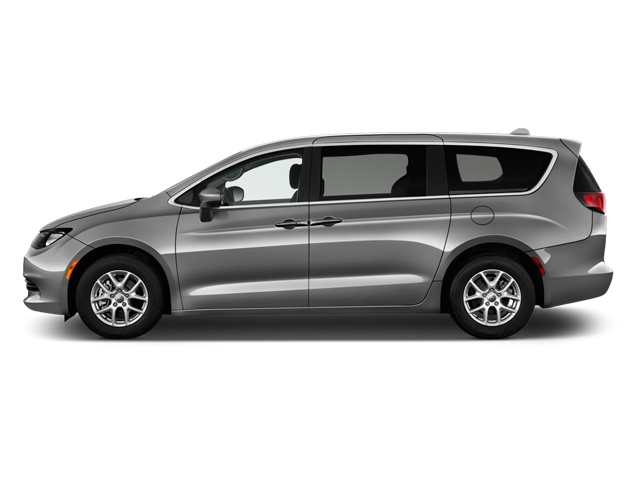
2026 Chrysler Pacifica Owner's Manual
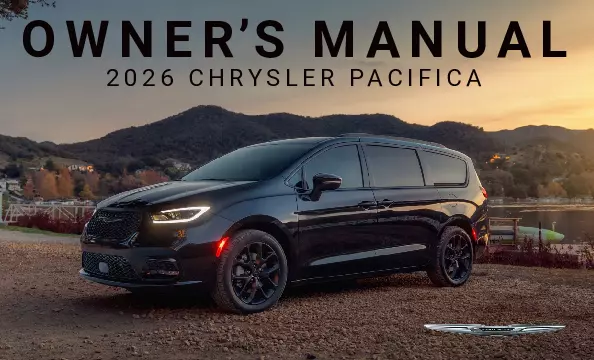
2026 Chrysler Pacifica owners manual
Year:
2026
Make:
Chrysler
Model:
Pacifica

Online manual

Size:
10.58 MB

Table of Contents

CONTENTS
3
INTRODUCTION
10
WELCOME
10
SYMBOLS KEY — DANGER, WARNINGS AND CAUTIONS
11
VEHICLE MODIFICATIONS ALTERATIONS
11
Description
11
SYMBOL GLOSSARY
11
Description
11
GETTING TO KNOW YOUR VEHICLE
16
KEYS
16
Key Fob
16
To Lock/Unlock The Doors And Liftgate
16
Key Left Vehicle Feature
17
Replacing The Battery In The Key Fob
17
Programming And Requesting Additional Key Fobs
18
Sentry Key
18
Auto Key Off
18
REMOTE START — IF EQUIPPED
19
Description
19
How To Use Remote Start
19
To Exit Remote Start Mode
19
Remote Start Front Defrost Activation — If Equipped
20
Remote Start Comfort Systems — If Equipped
20
Remote Start Cancel Message
20
REMOTE START SYSTEM (HYBRID) — IF EQUIPPED
21
Description
21
How To Use Remote Start
21
To Exit Remote Start Mode
21
VEHICLE SECURITY SYSTEM — IF EQUIPPED
22
Description
22
To Arm The System
22
To Disarm The System
22
Rearming Of The System
22
Security System Manual Override
22
DOORS
23
Manual Door Locks
23
Power Door Locks — If Equipped
23
Keyless Enter ‘n Go™ — Passive Entry
24
Automatic Unlock Doors On Exit — If Equipped
26
Manual Sliding Side Door
26
Power Sliding Side Door — If Equipped
26
Hands-Free Sliding Doors — If Equipped
27
Child Protection Door Lock System — Rear Doors
28
WINDOWS
28
Power Windows
28
Automatic Window Features
29
Reset Auto-Up
30
Wind Buffeting
30
MIRRORS
30
Inside Rearview Mirror
30
Manual Mirror — If Equipped
30
Automatic Dimming Mirror — If Equipped
30
Illuminated Vanity Mirrors — If Equipped
31
Outside Mirrors
31
Outside Mirrors With Turn Signal And Approach Lighting — If Equipped
31
Driver's Outside Automatic Dimming Mirror — If Equipped
31
Conversation Mirror
31
Power Mirrors — If Equipped
32
Power Folding Outside Mirrors — If Equipped
32
Automatic Power Folding Mirrors — If Equipped
33
Outside Mirrors Folding Feature
33
Heated Mirrors — If Equipped
33
Tilt Side Mirrors In Reverse — If Equipped
33
USER MEMORY SETTINGS — IF EQUIPPED
33
Description
33
Programming The Memory Feature
34
Linking And Unlinking The Key Fob To Memory
34
Memory Position Recall
34
HEAD RESTRAINTS
34
Safety Information
34
Head Restraints — Front Seats
35
Head Restraints — Second Row Quad Seats
35
Head Restraints — Third Row
36
Power Folding Third Row Head Restraints — If Equipped
36
FRONT SEATS
37
Safety Information
37
Manual Adjustment Front Seats — If Equipped
37
Manual Front Adjuster
37
Manual Seat Height Adjustment
37
Manual Front Seat Recline Adjustment
37
Power Adjustment Front Seats — If Equipped
38
Adjusting The Seat Forward Or Rearward
38
Adjusting The Seat Up Or Down
38
Tilting The Seat Up Or Down
38
Reclining The Seatback
38
Power Lumbar — If Equipped
39
Easy Entry/Exit Seat — If Equipped
39
Front Heated Seats — If Equipped
39
Ventilated Seats — If Equipped
40
REAR SEATS
40
Manual Adjustment Rear Seats
40
Manual Forward/Rearward Adjustment — Quad Seats (If Equipped)
40
Manual Recline — Quad Seats
40
Second Row Removable 8th Seat — If Equipped
41
Fold-Flat Quad Seats And Stow ‘n Go Seats
41
Easy Entry
42
Second Row Removable Quad Seat
43
Manually Folding Third Row Seats — If Equipped
45
To Unfold Third Row Seats
46
Stow 'n Go Seating
46
Auto Advance ‘n Return — If Equipped
46
Second Row Stow 'n Go
47
To Unstow Second Row Seats
48
Power Adjustment Rear Seats — If Equipped
50
Third Row Power Recline — If Equipped
50
Third Row Power Stow ‘n Go Seat — If Equipped
50
Rear Heated Seats — If Equipped
52
Plastic Grocery Bag Retainer Hooks
52
OCCUPANT RESTRAINT SYSTEMS
52
Occupant Restraint Systems Features
52
Important Safety Precautions
52
Seat Belt Systems
53
Enhanced Seat Belt Use Reminder System (BeltAlert)
53
Lap/Shoulder Belts
54
Lap/Shoulder Belt Operating Instructions
55
Lap/Shoulder Belt Untwisting Procedure
55
Adjustable Upper Shoulder Belt Anchorage
55
Second Row Center (If Equipped) And Third Row Center Seat Belt Operating Instructions
56
Seat Belt Extender
57
Seat Belts And Pregnant Women
58
Seat Belt Pretensioner
58
Energy Management Feature
58
Switchable Automatic Locking Retractors (ALR)
58
Seat Belt Park Stitch — If Equipped
59
Third Row Stow Clip — If Equipped
60
SUPPLEMENTAL RESTRAINT SYSTEMS (SRS)
60
Air Bag System Components
60
Air Bag Warning Light
60
Redundant Air Bag Warning Light
61
Front Air Bags
61
Driver And Passenger Front Air Bag Features
62
Front Air Bag Operation
62
Occupant Classification System (OCS) — Front Passenger Seat
62
Knee Impact Bolsters
66
Supplemental Driver And Front Passenger Knee Air Bags
66
Supplemental Side Air Bags
66
Air Bag System Components
68
If A Deployment Occurs
68
Enhanced Accident Response System
68
Enhanced Accident Response System Reset Procedure (Gas Models)
69
Enhanced Accident Response System Reset Procedure (Hybrid Models)
69
Maintaining Your Air Bag System
69
Event Data Recorder (EDR)
70
CHILD RESTRAINTS
70
Summary Of Recommendations For Restraining Children In Vehicles
71
Infant And Child Restraints
71
Older Children And Child Restraints
72
Children Too Large For Booster Seats
72
Recommendations For Attaching Child Restraints
73
Lower Anchors And Tethers For CHildren (LATCH) Restraint System
73
LATCH Positions For Installing Child Restraints In This Vehicle
74
Locating The LATCH Anchorages
76
Locating The Upper Tether Anchorages
76
Center Seat LATCH
76
To Install A LATCH-Compatible Child Restraint
77
How To Stow An Unused Switchable-ALR (ALR) Seat Belt:
77
Installing Child Restraints Using The Vehicle Seat Belt
77
Lap/Shoulder Belt Systems For Installing Child Restraints In This Vehicle
78
Installing A Child Restraint With A Switchable Automatic Locking Retractor (ALR):
79
Installing Child Restraints Using The Top Tether Anchorage
80
Seat Belt Park Stitch — If Equipped
81
Third Row Tether Attachment
81
STEERING WHEEL AND CONTROLS
82
Tilt/Telescoping Steering Column
82
Heated Steering Wheel
82
Power Steering
82
START BUTTON
83
Start Button (Gas Models)
83
Vehicle Start Button (Hybrid Models)
84
WIPERS AND WASHERS
85
Windshield Wiper Operation
85
Rain Sensing Wipers
86
Rear Wiper And Washer
87
EXTERIOR LIGHTS
87
Multifunction Lever
87
Headlight Switch
87
Daytime Running Lights (DRLs) — If Equipped
88
High/Low Beam Switch
88
Automatic High Beam — If Equipped
88
To Activate
88
To Deactivate
88
Flash-To-Pass
88
Automatic Headlights — If Equipped
89
Headlights On With Wipers — If Equipped
89
Headlight Time Delay — If Equipped
89
Lights-On Reminder
89
Front Fog Lights — If Equipped
89
Turn Signals
89
Turn Signal Warning
90
Lane Change Assist — If Equipped
90
Battery Saver
90
INTERIOR LIGHTS
90
Interior Courtesy Lights
90
Rear Courtesy/Reading Lights — If Equipped
90
Dimmer Controls
90
ROOF SYSTEMS
91
Panoramic Sunroof — If Equipped
91
Opening And Closing The Sunroof
91
Opening And Closing The Power Sunshade — If Equipped
92
Pinch Protect Feature
92
Venting Sunroof
92
Ignition Off Operation
92
Sunroof Maintenance
92
Stow ‘N Place Roof Rack — If Equipped
93
Deploying The Crossbars
93
Stowing The Crossbars
94
UNIVERSAL GARAGE DOOR OPENER (HOMELINK®) — IF EQUIPPED
95
Description
95
Before You Begin Programming HomeLink®
96
Erasing All The HomeLink® Channels
96
Identifying Whether You Have A Rolling Code Or Non-Rolling Code Device
96
Programming HomeLink® To A Garage Door Opener
96
Programming HomeLink® To A Miscellaneous Device
97
Reprogramming A Single HomeLink® Button
97
Canadian/Gate Operator Programming
97
Security
98
Troubleshooting Tips
98
INTERIOR STORAGE AND FEATURES
98
Glove Compartment
98
Front Door Storage
99
Overhead Sunglass Storage
99
Storage Drawers — If Equipped
99
Front Seatback Storage — If Equipped
99
Second Row Floor Storage Bins
100
Storage Bin Safety Warning
100
Seat Storage Bin Cover Emergency Release Lever
101
Lighted Cupholders — If Equipped
101
Sun Screens — If Equipped
101
USB Control
101
Power Outlets
103
Power Inverter — If Equipped
104
Wireless Charging Pad — If Equipped
104
LIFTGATE
106
To Unlock/Open The Liftgate
106
To Lock/Close The Liftgate
106
Power Liftgate — If Equipped
106
Hands-Free Liftgate — If Equipped
107
Cargo Area Features
108
Cargo Area Storage
108
Stow ‘n Vac Integrated Vacuum — If Equipped
109
HOOD
113
Opening
113
Closing
114
DASHBOARD INSTRUMENTS AND CONTROLS
115
INSTRUMENT CLUSTER
115
Gas Vehicle Instrument Cluster
115
Instrument Cluster Descriptions
116
Hybrid Vehicle Instrument Cluster
118
Instrument Cluster Descriptions
118
Instrument Cluster Display
119
Instrument Cluster Display Location And Controls
119
Stop Safely Vehicle Will Shut Off Soon
120
Stop Safely And Leave The Vehicle As Soon As Possible
120
Instrument Cluster Display Menu Items
121
Speedometer
121
Vehicle Info
121
Driver Assist — If Equipped
122
Hybrid Info
122
Fuel Economy
123
Trip Info
123
Stop / Start – If Equipped
124
Audio
124
Messages
124
Screen Setup
124
Battery Saver On/Battery Saver Mode Message — Electrical Load Reduction Actions — If Equipped
124
Engine Oil Life
125
WARNING LIGHTS AND MESSAGES
126
Red Warning Lights
126
Air Bag Warning Light
126
Battery Charge Warning Light
126
Brake Warning Light
126
Door Open Warning Light — If Equipped
127
Electric Power Steering Fault Warning Light
127
Electronic Throttle Control (ETC) Warning Light
127
Engine Coolant Temperature Warning Light
127
Hood Open Warning Light
128
Hybrid Electric Vehicle System Service Warning Light
128
Liftgate Open Warning Light
128
Limp Home Mode Warning Light
128
Oil Pressure Warning Light
128
Oil Temperature Warning Light
128
Plug Status Fault Warning Light
128
Seat Belt Reminder Warning Light
128
Transmission Temperature Warning Light
128
Vehicle Security Warning Light — If Equipped
129
Yellow Warning Lights
129
Anti-Lock Brake System (ABS) Warning Light
129
Adaptive Cruise Control (ACC) Fault Warning Light — If Equipped
129
Electric Park Brake Warning Light
129
Electronic Stability Control (ESC) Active Warning Light — If Equipped
129
Electronic Stability Control (ESC) OFF Warning Light — If Equipped
129
Engine Check/Malfunction Indicator Warning Light
129
Fuel Level Sensor Failure Warning Light
130
LaneSense Warning Light — If Equipped
130
Low Fuel Warning Light
130
Low Washer Fluid Warning Light — If Equipped
130
Service AWD Warning Light — If Equipped
130
Service Forward Collision Warning (FCW) or Pedestrian Emergency Braking (PEB) Warning Light — If Equipped
130
Service LaneSense Warning Light — If Equipped
130
Service Stop/Start System Warning Light — If Equipped
130
Tire Pressure Monitoring System (TPMS) Warning Light
130
Yellow Indicator Lights
131
Forward Collision Warning (FCW) or Pedestrian Emergency Braking (PEB) OFF Indicator Light — If Equipped
131
Rear Fog Light — If Equipped
131
Green Indicator Lights
131
Adaptive Cruise Control (ACC) Set With Target Vehicle Detected Indicator Light — If Equipped
131
Adaptive Cruise Control (ACC) Set With No Target Detected Indicator Light — If Equipped
132
Cruise Control Set Indicator Light — If Equipped
132
Front Fog Indicator Light — If Equipped
132
LaneSense Indicator Light — If Equipped
132
Parking/Headlights On Indicator Light
132
Stop/Start Active Indicator Light — If Equipped
132
Turn Signal Indicator Lights
132
Max Regeneration Indicator Light
132
Ready To Drive Indicator Light
132
Plug Status Indicator Light
132
White Indicator Lights
132
Adaptive Cruise Control (ACC) Ready Light — If Equipped
132
Cruise Control Ready Indicator Light
133
LaneSense Indicator Light — If Equipped
133
Set Speed Display Indicator Light
133
Blue Indicator Lights
133
High Beam Indicator Light
133
EMISSIONS INSPECTION AND MAINTENANCE PROGRAMS
133
Description
133
ONBOARD DIAGNOSTIC SYSTEM
134
Description
134
Onboard Diagnostic System (OBD II) Cybersecurity
134
CLIMATE CONTROLS
134
Automatic Climate Control Descriptions And Functions
134
Max A/C Button
134
A/C Button
135
Recirculation Button
135
AUTO Button
135
Front Defrost Button
135
Rear Defrost Button
135
Front Temperature Control
135
SYNC Button
136
Blower Control
136
Mode Control
136
Panel Mode
136
Bi-Level Mode
136
Floor Mode
136
Mix Mode
136
Climate Control OFF Button
136
Controlling The Rear Climate Controls From The Front ATC Panel—If Equipped
137
Rear Climate Control Button
137
Rear Auto Button
137
Rear Lock Button
137
Front Climate Button
137
Rear Temperature Control
137
SYNC Button
137
Blower Control
137
Panel Mode
137
Bi-Level Mode
137
Floor Mode
138
Rear Passenger Climate Control OFF Button
138
Rear Automatic Temperature Control (ATC) — If Equipped
138
AUTO Button
138
Rear Temperature Control
138
Rear Blower Control
138
Rear Mode Control
138
Panel Mode
138
Bi-Level Mode
139
Floor Mode
139
Rear Climate Control/Blower Off
139
Manual Climate Control Descriptions And Functions
139
MAX A/C Button
139
A/C Button
139
Recirculation Button
139
Front Defrost Button
139
Rear Defrost Button
139
Front Temperature Control
140
SYNC Button
140
Blower Control
140
Mode Control
140
Panel Mode
140
Bi-Level Mode
140
Floor Mode
141
Mix Mode
141
Climate Control OFF Button
141
Controlling The Rear Climate Controls From The Front MTC Display/Touchscreen
141
Rear Climate Control Button
141
Rear Lock Button
141
Front Climate Button
141
Rear Temperature Control
141
SYNC Button
141
Blower Control
141
Panel Mode
141
Bi-Level Mode
142
Floor Mode
142
Rear Passenger Climate Control OFF Button
142
Rear Manual Temperature Control (MTC)
142
Rear Temperature Control
142
Rear Blower Control
142
Rear Mode Control
142
Panel Mode
142
Bi-Level Mode
142
Floor Mode
143
Rear Climate Control/Blower Off
143
Automatic Temperature Control (ATC) — If Equipped
143
Automatic Operation
143
Manual Operation Override
143
Climate Voice Commands
143
Operating Tips
143
Summer Operation
143
Winter Operation
143
Vacation/Storage
143
Window Fogging
143
Outside Air Intake
144
Cabin Air Filter
144
Stop/Start System — If Equipped
144
Operating Tips Chart
144
INFOTAINMENT
145
INTRODUCTION
145
Identifying Your radio
145
RADIO OPERATION, MOBILE PHONES, AND CYBERSECURITY
145
Radio Operation And Mobile Phones
145
Regulatory And Safety Information
145
Cybersecurity
145
MULTIMEDIA SYSTEM
146
Steering Wheel Audio Controls
146
Radio Operation
146
Media Mode
146
Uconnect Voice Recognition — If Equipped
146
Introducing Voice Recognition
146
Basic Voice Commands
146
Get Started
146
Additional Information
147
Uconnect Settings
147
Customer Programmable Features
147
More Information Icon
148
Display
148
Entertainment Screens
148
My Profile
148
Safety/Assistance
148
Clock
148
Phone/Bluetooth®
148
Voice
148
Navigation
148
Camera
148
Mirrors & Wipers
148
Lights
148
Brakes
148
Doors & Locks
149
Seats & Comfort
149
Key Off Options
149
Audio
149
Notifications
149
SiriusXM® Setup
149
Accessibility
149
Software Updates
149
System Information
149
Reset
149
Rear Seat Entertainment (RSE) With Amazon Fire TV Built-In — If Equipped
149
Overview
149
Getting Started
150
Accessing Rear Seat Entertainment with Fire TV built-in from the Front Radio Screen
150
Accessing Rear Seat Entertainment with Fire TV built-in from the Rear Screens
150
First Time Starting Up (Using the Rear Screens)
150
Alexa Voice Control
151
Listen Via Vehicle Speakers
151
Quick Menu
151
Parental Controls (Using the Rear Screens)
151
Voice Remote with Alexa Pairing (Using the Rear Screens)
152
Media Sources Input (Using the Front Radio and Rear Screens)
152
Voice Remote with Alexa
152
Replacing the Voice Remote with Alexa Batteries
153
Rear Seat Entertainment with Fire TV Built-in Streaming (Using the Front Radio and Rear Screens)
153
Fire TV
154
Play A Blu-ray™ or DVD — If Equipped
154
Fire TV Apps/Games (Using the Rear Screens)
155
Using The Video USB Port
155
Play Video Games
155
Headphones Operation
155
Rear Climate Controls
155
Legal & Compliance
157
STARTING AND OPERATING
158
STARTING PROCEDURE
158
Gas Starting Procedures
158
Normal Starting
158
AutoPark
158
Extended Park Starting
160
If Engine Fails To Start
160
Cold Weather Operation (Below –22°F Or −30°C)
161
After Starting — Warming Up The Engine
161
To Turn Off The Engine Using The ENGINE START/STOP Button
161
Stop/Start System — If Equipped
161
Autostop Mode
161
Possible Reasons The Engine Does Not Autostop
162
To Start The Engine While In Autostop
162
To Manually Turn Off The Stop/Start System
162
To Manually Turn On The Stop/Start System
163
System Malfunction
163
Hybrid Starting Procedures
163
Normal Starting
163
AutoPark
164
After Starting
166
To Turn Off The Vehicle Using ENGINE START/STOP Button
166
ENGINE BLOCK HEATER — IF EQUIPPED
166
Description
166
BRAKES
166
Brake System
166
Parking Brake
167
Electric Park Brake (EPB)
167
Auto Park Brake
168
SafeHold
168
Brake Service Mode
168
Regenerative Braking System (RBS) - Hybrid Models
169
TRANSMISSIONS
169
Automatic Transmission — Gas Models
169
Ignition Park Interlock
170
Brake/Transmission Shift Interlock (BTSI) System
170
9-Speed Automatic Transmission
170
Gear Ranges
171
PARK (P)
171
REVERSE (R)
171
NEUTRAL (N)
171
DRIVE (D)
171
LOW (L)
172
Transmission Limp Home Mode
172
Torque Converter Clutch
172
Automatic Transmission — Hybrid Models
172
Ignition Park Interlock
173
Brake/Transmission Shift Interlock (BTSI) System
173
Hybrid Transmission
173
Gear Ranges
174
PARK (P)
174
REVERSE (R)
174
NEUTRAL (N)
174
DRIVE (D)
175
LOW (L)
175
Transmission Limp Home Mode
175
ALL WHEEL DRIVE OPERATION — IF EQUIPPED
175
Description
175
REFUELING THE VEHICLE
176
Gasoline Refueling
176
Hybrid Refueling
176
CHARGING
178
High Voltage Battery
178
Battery Conditioning
180
High Voltage Charging Operation
180
SAE J1772 Charging Inlet
180
AC Level 1 Charging (120 Volt, 12 Amp)
180
Portable Charging Cordset (EVSE)
182
Grounding Instructions
182
Portable Charging Cordset (EVSE) Installation And Operating Instructions
183
Troubleshooting Using The Status Indicator Display
184
AC Level 2 Charging (240 Volt, 40 Amp)
187
Charging Times
187
Vehicle Charge Indicators
188
Hybrid Electric App
189
Power Flow
189
Driving History
189
Charging Schedule
190
Scheduled Cabin Conditioning (SCC)
191
e-Save
192
Charge Settings — If Equipped
192
VEHICLE LOADING
192
Certification Label
192
Gross Vehicle Weight Rating (GVWR)
192
Payload
192
Gross Axle Weight Rating (GAWR)
192
Tire Size
193
Rim Size
193
Inflation Pressure
193
Curb Weight
193
Loading
193
TRAILER TOWING
193
Trailer Towing — Gas Models
193
Common Towing Definitions
193
Gross Vehicle Weight Rating (GVWR)
193
Gross Trailer Weight (GTW)
193
Gross Combination Weight Rating (GCWR)
193
Gross Axle Weight Rating (GAWR)
193
Tongue Weight (TW)
194
Trailer Frontal Area
194
Trailer Sway Control (TSC)
194
Weight-Carrying Hitch
194
Weight-Distributing Hitch
194
Trailer Hitch Classification
194
Trailer Towing Weights (Maximum Trailer Weight Ratings)
195
Vehicle Loading Chart
195
Trailer And Tongue Weight
196
Towing Requirements
197
Towing Requirements — Tires
197
Towing Requirements — Trailer Brakes
197
Towing Requirements — Trailer Lights And Wiring
198
Towing Tips
198
Automatic Transmission
198
Cruise Control — If Equipped
198
Trailer Towing — Hybrid Models
198
RECREATIONAL TOWING
199
Towing This Vehicle Behind Another Vehicle
199
DRIVING TIPS
200
Driving On Slippery Surfaces
200
Acceleration
200
Traction
200
Driving Through Water
200
Flowing/Rising Water
200
Shallow Standing Water
200
ENHANCED DRIVING ASSISTANCE SYSTEMS
202
SENSORS
202
Audible Pedestrian Warning System — If Equipped
202
Rear Seat Reminder Alert (RSRA)
202
COLLISION AVOIDANCE ASSISTANCE SYSTEM
203
Forward Collision Warning (FCW) With Mitigation — If Equipped
203
Turning FCW On Or Off
203
FCW Braking Status And Sensitivity
203
FCW Limited Warning
204
Service FCW Warning
204
Pedestrian Emergency Braking (PEB) — If Equipped
204
Brake Assist System (BAS)
205
VEHICLE STABILITY ASSISTANCE SYSTEM
205
Dynamic Steering Torque (DST)
205
Electronic Roll Mitigation (ERM)
205
Electronic Stability Control (ESC)
206
ESC Operating Modes
206
ESC Activation/Malfunction Indicator Light And ESC OFF Indicator Light
207
Traction Control System (TCS)
207
Trailer Sway Control (TSC)
207
BRAKING PERFORMANCE ASSISTANCE SYSTEM
208
Anti-Lock Brake System (ABS)
208
Anti-Lock Brake System (ABS) Warning Light
208
Brake System Warning Light
208
Electronic Brake Force Distribution (EBD)
208
Rain Brake Support (RBS)
209
Ready Alert Braking (RAB)
209
VISIBILITY ASSISTANCE SYSTEM
209
Blind Spot Monitoring (BSM) — If Equipped
209
Rear Cross Path (RCP)
211
Blind Spot Modes
211
FamCam System — If Equipped
212
LANE CENTERING ASSISTANCE SYSTEM
212
LaneSense — If Equipped
212
LaneSense Operation
212
Turning LaneSense On Or Off
213
LaneSense Warning Message
213
Changing LaneSense Status
214
PARKING AND REVERSE OPERATIONS ASSISTANCE SYSTEM
214
ParkSense Front/Rear Park Assist System — If Equipped
214
ParkSense Sensors
215
ParkSense Display
215
ParkSense Warning Display
217
Enabling And Disabling ParkSense
217
Service The ParkSense Park Assist System
218
Cleaning The ParkSense System
218
ParkSense System Usage Precautions
218
Parkview Rear Back Up Camera
219
Surround View Camera System — If Equipped
220
SPEED CONTROL ASSISTANCE SYSTEM
222
Adaptive Cruise Control (ACC)
222
Adaptive Cruise Control (ACC) Operation
223
Adaptive Cruise Control (ACC) Menu
223
Activating Adaptive Cruise Control (ACC)
223
To Activate/Deactivate
224
To Set A Desired Speed
224
To Cancel
224
To Turn Off
224
To Resume
225
To Vary The Speed Setting
225
Setting The Following Distance In ACC
225
Overtake Aid
226
ACC Operation At Stop
226
Display Warnings And Maintenance
227
“Wipe Front Radar Sensor” Warning
227
“Clean Front Windshield” Warning
227
Service ACC/FCW Warning
227
Precautions While Driving With ACC
228
Towing A Trailer
228
Offset Driving
228
Turns And Bends
228
Using ACC On Hills
228
Lane Changing
228
Narrow Vehicles
228
Stationary Objects And Vehicles
229
OFF ROAD AND LOW-RANGE OPERATIONS ASSISTANCE SYSTEM
229
Hill Start Assist (HSA)
229
Disabling And Enabling HSA
229
Towing With HSA
229
UTILITY FEATURES ASSISTANCE SYSTEM
230
Tire Pressure Monitoring System (TPMS)
230
Premium System
231
Service TPMS Warning
231
Tire Pressure Monitoring System Low Pressure Warnings
232
TPMS Deactivation — If Equipped
232
IN CASE OF EMERGENCY
233
HAZARD WARNING FLASHERS
233
Description
233
ASSIST AND SOS — IF EQUIPPED
233
Description
233
JACKING THE VEHICLE AND WHEEL CHANGING — IF EQUIPPED
236
Preparations For Jacking
236
Jack And Spare Tire Location
236
Equipment Removal
237
Jacking Instructions
237
Road Tire Installation
240
Vehicles Equipped With Wheel Covers
240
Portable Air Compressor — If Equipped
240
Return Inflatable Spare Tire
241
TIRE REPAIR KIT — IF EQUIPPED
241
Description
241
JUMP STARTING
246
Gas Jump Starting
246
Preparations For Jump Start (Gas Models)
246
Jump Starting Procedure (Gas Models)
247
Hybrid Jump Starting
247
Preparations For Jump Start (Hybrid Models)
248
Jump Starting Procedure (Hybrid Models)
249
REFUELING IN AN EMERGENCY — IF EQUIPPED
250
Description
250
IF YOUR ENGINE OVERHEATS
250
Description
250
OVERRIDE
251
Manual Park Release
251
FREEING A STUCK VEHICLE
252
Description
252
TOWING A DISABLED VEHICLE
253
All Wheel Drive (AWD) Models
253
ENHANCED ACCIDENT RESPONSE SYSTEM (EARS)
253
Description
253
EVENT DATA RECORDER (EDR)
253
Description
253
MAINTENANCE AND VEHICLE CARE
254
SAFETY TIPS
254
Transporting Passengers
254
Transporting Pets
254
Connected Vehicles
254
Safety Checks You Should Make Inside The Vehicle
254
Seat Belts
254
Air Bag Warning Light
254
Defroster
254
Floor Mat Safety Information
255
Periodic Safety Checks You Should Make Outside The Vehicle
255
Tires
255
Lights
255
Door Latches
255
Fluid Leaks
255
Exhaust Gas
256
Carbon Monoxide Warnings
256
SCHEDULED SERVICING
256
Description
256
Maintenance Plan — 3.6L Gas and Hybrid Models
257
ENGINE COMPARTMENT
260
3.6L Engine — Gas Models
260
3.6L Engine — Hybrid Models
261
Engine Break-In Recommendations
262
Adding Washer Fluid
262
Checking Oil Level
262
Maintenance-Free Battery
263
Pressure Washing
263
VEHICLE MAINTENANCE
263
Description
263
Engine Oil
263
Engine Oil Selection
263
American Petroleum Institute (API) Approved Engine Oil
263
Synthetic Engine Oils
264
Materials Added To Engine Oil
264
Disposing Of Used Engine Oil And Oil Filters
264
Engine Oil Filter
264
Engine Air Cleaner Filter
264
Engine Air Cleaner Filter Inspection and Replacement
264
Accessory Drive Belt Inspection
265
Air Conditioner Maintenance
265
Refrigerant Recovery And Recycling — R–1234yf
266
Cabin Air Filter
266
Body Lubrication
267
Windshield Wiper Blades
267
Front Wiper Blade Removal/Installation
268
Rear Wiper Blade Removal/Installation
269
Exhaust System
270
Cooling System
270
Engine Coolant Checks
271
Cooling System — Drain, Flush And Refill
271
Selection Of Coolant
271
Adding Coolant
271
Cooling System Pressure Cap
272
Disposal Of Used Coolant
272
Coolant Level
272
Cooling System Notes
272
Cooling System — Hybrid
273
Engine Coolant Checks
273
Cooling System — Drain, Flush And Refill
273
Electric/Battery Coolant System
273
Selection Of Coolant
273
Adding Coolant
274
Cooling System Pressure Cap
274
Disposal Of Used Coolant
275
Coolant Level
275
Cooling System Notes
275
Brake System
275
Brake Master Cylinder
275
Automatic Transmission
276
Special Additives
276
Fluid Level Check
276
Fluid And Filter Changes
276
Selection Of Lubricant
276
FUSES
277
General Information
277
Underhood Fuses
277
LIGHT REPLACEMENT
289
Replacement Bulbs, Names, And Part Numbers
289
Replacing Exterior Bulbs
289
Front Turn Signal Lamp
289
Front And Rear Side Marker Lamps
290
TIRES AND WHEELS
290
Tire Safety Information
290
Tire Markings
291
Tire Sizing Chart
291
Tire Identification Number (TIN)
293
Tire Terminology And Definitions
294
Tire Loading And Tire Pressure
295
Loading
295
Tires — General Information
297
Tire Pressure
297
Tire Inflation Pressures
298
Tire Pressures For High Speed Operation
298
Radial Ply Tires
299
Run Flat Tires — If Equipped
299
Tire Spinning
299
Tread Wear Indicators
299
Life Of Tire
300
Replacement Tires
300
Tire Types
301
All Season Tires — If Equipped
301
Summer Or Three Season Tires — If Equipped
301
Snow Tires
301
Spare Tires — If Equipped
301
Spare Tire Matching Original Equipped Tire And Wheel — If Equipped
301
Compact Spare Tire — If Equipped
301
Collapsible Spare Tire — If Equipped
302
Full Size Spare — If Equipped
302
Limited Use Spare — If Equipped
302
Wheel And Wheel Trim Care
302
Snow Traction Devices
303
Tire Rotation Recommendations
305
DEPARTMENT OF TRANSPORTATION
305
Description
305
Treadwear
306
Traction Grades
306
Temperature Grades
306
VEHICLE STORAGE
306
Gas
306
Hybrid
307
BODYWORK AND EXTERIOR CARE
307
Protection From Atmospheric Agents
307
What Causes Corrosion?
307
Body And Underbody Maintenance
307
Cleaning Headlights
307
Exterior Lamp Lens Fogging or Condensation
308
Preserving The Bodywork
308
Washing
308
Special Care
308
INTERIOR CARE
308
Seats And Fabric Parts
308
Seat Belt Maintenance
308
Plastic And Coated Parts
309
Cleaning Plastic Instrument Cluster Lenses
309
Leather Surfaces
309
Glass Surfaces
309
TECHNICAL SPECIFICATIONS
310
VEHICLE IDENTIFICATION NUMBER (VIN)
310
Description
310
FUEL REQUIREMENTS
310
Description
310
3.6L Engine
310
Reformulated Gasoline
310
Gasoline/Oxygenate Blends
310
Do Not Use E-85 In Non-Flex Fuel Vehicles
311
CNG And LP Fuel System Modifications
311
Methylcyclopentadienyl Manganese Tricarbonyl (MMT) In Gasoline
311
Materials Added To Fuel
311
Fuel System Cautions
311
FLUIDS AND LUBRICANTS
312
Engine Fluids And Lubricants — Gas Models
312
Engine Fluid And Lubricants — Hybrid Models
313
Chassis Fluid And Lubricants — Gas Models
314
Chassis Fluids And Lubricants — Hybrid Models
314
FLUID CAPACITIES
315
Fluid Capacities — Gas Models
315
Fluid Capacities — Hybrid Models
315
WHEEL AND TIRES
316
Description
316
Torque Specifications
316
CUSTOMER ASSISTANCE
318
CUSTOMER ASSISTANCE
318
Roadside Assistance
318
FCA US LLC Customer Center
319
FCA Canada Customer Care
319
Mexico
319
Puerto Rico And US Virgin Islands
319
Customer Assistance For The Hearing Or Speech Impaired (TDD/TTY)
319
Service Contract
320
Warranty Information
320
Mopar® Parts
320
Reporting Safety Defects
320
In The 50 United States And Washington, D.C.
320
In Canada
321
Ordering and Accessing Additional Owner’s Information
321
Change Of Ownership Or Address
321
General Information
321
INDEX
323

2026 Chrysler Pacifica Overview

Owner's Manual

An owner's manual is the authoritative guide for safe, efficient operation and routine care of the 2026 Chrysler Pacifica. It explains controls, maintenance schedules, recommended fluids and tire information, plus warnings and troubleshooting tips. Use it as a quick reference for seating, child restraint installation, electrical systems and towing guidelines. Regular consultation helps preserve warranty coverage, extend vehicle life and prevent misuse. Treat it as essential for responsible ownership.

Introduction

The 2026 Pacifica blends family-focused practicality with refined design and modern technology. Its cabin offers flexible seating, generous cargo capacity and premium materials to suit daily errands and long trips. Advanced driver assists and a calm ride make driving easier and more confident in varied conditions. Updated exterior detailing and smart packaging refresh a familiar formula, delivering a minivan that balances utility, comfort and contemporary style for discerning families.

Powertrains

Powertrain choices for 2026 emphasize efficiency and responsive performance. A turbocharged four-cylinder delivers brisk acceleration and solid fuel economy for everyday driving. An available hybrid pairs the gasoline engine with electric assistance to boost efficiency in city use while retaining towing capacity. Transmissions and regenerative systems are tuned for smooth operation and predictable throttle response. These options let buyers choose power or electrified efficiency to match their driving priorities.

Trims

Trims for the 2026 Pacifica meet diverse buyer needs, from value-focused to well-equipped family flagship. Entry-level models emphasize practicality with durable finishes and essential tech. Mid-range trims add comfort upgrades like heated seats, upgraded infotainment and convenience packages. Top-tier versions also introduce premium leather, advanced driver aids, larger wheels and exclusive styling touches. Optional bundles allow buyers to tailor safety, entertainment and towing capability without overpaying for unwanted features.

Features

Features in the 2026 Pacifica emphasize comfort, connectivity and safety. A high-resolution infotainment display with smartphone integration and wireless charging keeps passengers connected. Climate control, multi-zone settings and smart storage enhance usability. Safety suites pair adaptive cruise, lane centering, automatic emergency braking and blind-spot monitoring. Family-friendly elements like rear-seat entertainment, integrated sunshades and easy-access sliding doors simplify life on the road while practical cargo solutions ease loading tasks.

User manual download

The Chrysler Pacifica owner manual for the 2026 model year is to be found in PDF downloadable format on this page. The owner manual for the model year 2026 is free and in English, but the repair manuals are usually not easy to get and may cost more.

Posted by, John Mana author bio image
A passionate guy about car models, makes, and manuals.

Manual Questions

Do you have questions about the 2026 Chrysler Pacifica owners manual?
Fill the form below and someone will help you!