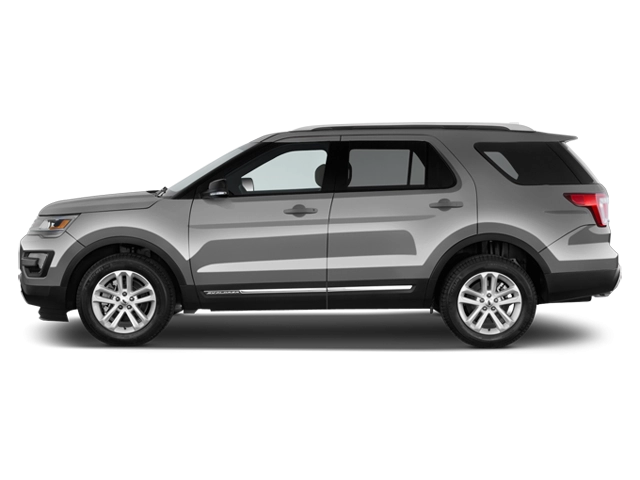
2027 Ford Explorer Owner's Manual

2027 Ford Explorer owners manual
Year:
2027
Make:
Ford
Model:
Explorer

Online manual

Size:
9.68 MB

Table of Contents

Table of contents
5
Copyright ©
3
Introduction
17
About This Publication
17
Using This Publication
19
Symbols Glossary
20
Symbols Used On Your Instrument Cluster
20
Data Privacy
23
Data Privacy
23
Service Data
24
Event Data
24
Settings Data
25
Connected Vehicle Data
25
Mobile Device Data
26
Emergency Call System Data
26
Environment
27
Protecting the Environment
27
Visual Search
28
Interior Overview
28
Exterior Overview
29
Child Safety
31
Child Safety Precautions
31
Child Restraint Anchor Points
32
Child Restraints
33
Installing Child Restraints
35
Booster Seats
40
Child Safety Locks
42
Seatbelts
44
Seatbelt Precautions
44
Fastening and Unfastening the Seatbelts
45
Sensitive Locking Mode
46
Automatic Locking Mode
46
Adjusting the Seatbelts During Pregnancy
47
Adjusting the Seatbelt Height
47
Seatbelt Reminder
47
Checking the Seatbelts
49
Seatbelt Extensions
49
Personal Safety System™
51
Personal Safety System™
51
Airbags
52
How Do the Front Airbags Work
52
How Do the Side Airbags Work
52
How Do the Knee Airbags Work - Excluding: Police
53
How Do the Knee Airbags Work - Police
53
How Does the Safety Canopy™ Work
54
Airbag Precautions
55
Properly Adjusting the Driver and Front Passenger Seats
56
Children and Airbags
56
Front Passenger Sensing System
56
Crash Sensors and Airbag Indicator - Excluding: Police
59
Crash Sensors and Airbag Indicator - Police
60
Disposing of Airbags
66
Pedestrian Alert System
67
What Is the Pedestrian Alert System
67
911 Assist
68
911 Assist
68
Keys and Remote Controls
70
Remote Control Limitations
70
Using the Remote Control - Excluding: Police
70
Using the Remote Control - Police
71
Removing the Key Blade
71
Sounding the Panic Alarm - Excluding: Police
72
Sounding the Panic Alarm - Police
72
Locating Your Vehicle
72
Changing the Remote Control Battery - Vehicles With: Push Button Start, Excluding: Police
72
Changing the Remote Control Battery - Police
74
Replacing a Lost Key or Remote Control
74
Programming the Remote Control
75
Keys and Remote Controls Audible Warnings - Excluding: Police
75
Keys and Remote Controls Audible Warnings - Police
76
Using the Valet Mode
76
Keys and Remote Controls – Troubleshooting
76
Doors and Locks
77
Operating the Doors From Outside Your Vehicle
77
Operating the Doors From Inside Your Vehicle
78
Autounlock
78
Autolock
79
Mislock
79
Door Lock Indicators
79
Doors and Locks Audible Warnings
79
Doors and Locks – Troubleshooting
80
Keyless Entry
82
What Is Keyless Entry
82
Keyless Entry Limitations
82
Keyless Entry Settings
82
Using Keyless Entry
82
Keyless Entry – Troubleshooting
83
Keyless Entry Keypad
84
What Is the Keyless Entry Keypad
84
Keyless Entry Keypad Limitations
84
Locating the Keyless Entry Keypad
84
Keyless Entry Keypad Master Access Code
84
Keyless Entry Keypad Personal Access Codes
85
Using the Keyless Entry Keypad
85
Keyless Entry Keypad – Troubleshooting
86
Easy Entry and Exit
87
How Does Easy Entry and Exit Work
87
Switching Easy Entry and Exit On and Off
87
Liftgate
88
Opening the Liftgate
88
Closing the Liftgate
89
Liftgate
90
Liftgate Precautions
90
Opening the Liftgate
90
Open On Approach Settings
92
Setting the Liftgate Opening Height
92
Closing the Liftgate
92
Stopping the Liftgate Movement
93
Liftgate Obstacle Detection
94
Liftgate – Troubleshooting
94
Security
96
Passive Anti-Theft System
96
Anti-Theft Alarm System
96
Security – Troubleshooting
97
Steering Wheel
98
Adjusting the Steering Wheel
98
Horn
98
Switching the Heated Steering Wheel On and Off
98
Wipers and Washers
99
Wipers
99
Autowipers
100
Switching the Rear Window Wiper On and Off - Excluding: Police
101
Switching the Rear Window Wiper On and Off - Police
101
Reverse Wipe
101
Checking the Wiper Blades
101
Replacing the Front Wiper Blades
101
Replacing the Rear Wiper Blades
102
Washers
103
Wipers and Washers – Troubleshooting
105
Exterior Lighting
106
Exterior Lighting Control - Excluding: Police
106
Exterior Lighting Control - Police
106
Headlamps
106
Autolamps
107
Exterior Lamps
108
Automatic High Beam Control - Excluding: Police
111
Adaptive Front Lighting
114
Exterior Lighting – Frequently Asked Questions
115
Interior Lighting
116
Switching All of the Interior Lamps On and Off - Excluding: Police
116
Switching All of the Interior Lamps On and Off - Police
116
Switching the Front Interior Lamps On and Off - Excluding: Police
116
Switching the Front Interior Lamps On and Off - Police
117
Switching the Rear Interior Lamps On and Off - Excluding: Police
117
Switching the Rear Interior Lamps On and Off - Police
118
Interior Lamp Function
118
Adjusting the Instrument Panel Lighting Brightness
118
Ambient Lighting
118
Interior Lighting – Troubleshooting
119
Windows
120
Opening and Closing the Windows
120
Global Opening
121
Window Bounce-Back
122
Locking the Rear Window Controls
122
Interior Mirror
123
Interior Mirror Precautions
123
Manually Dimming the Interior Mirror
123
Auto-Dimming Interior Mirror
123
Exterior Mirrors
124
Adjusting the Exterior Mirrors
124
Folding the Exterior Mirrors - Vehicles With: Manual Folding Mirrors
124
Folding the Exterior Mirrors - Vehicles With: Power Folding Mirrors
125
Auto-Dimming Exterior Mirror
125
Glass Roof
126
Opening and Closing the Sunshade
126
Opening and Closing the Glass Roof
126
Venting the Glass Roof
127
Glass Roof Bounce-Back
127
Instrument Cluster
128
Instrument Cluster Overview
128
Tachometer
128
Speedometer
128
Fuel Gauge
129
Engine Coolant Temperature Gauge
129
Instrument Cluster Display
130
Using the Instrument Cluster Display Controls
130
Instrument Cluster Display Main Menu
130
Customizing the Instrument Cluster Display
130
Trip Computer
132
Accessing the Trip Computer
132
Resetting the Trip Computer
132
Trip Data
132
Remote Start
133
Using Remote Start - Vehicles With: Ford App
133
Using Remote Start - Vehicles With: Remote Control
134
Remote Start Settings
134
Climate Control
135
Identifying the Climate Control Unit
135
Switching Climate Control On and Off
135
Switching Recirculated Air On and Off
135
Switching Air Conditioning On and Off
135
Switching Defrost On and Off
135
Switching Maximum Defrost On and Off
135
Switching Maximum Cooling On and Off
136
Switching the Heated Rear Window On and Off
136
Setting the Blower Motor Speed
136
Switching the Heated Mirrors On and Off
136
Setting the Temperature
136
Directing the Flow of Air
137
Air Conditioning System Refrigerant
137
Rear Passenger Climate Control
138
Identifying the Rear Passenger Climate Control Unit
138
Switching the Rear Passenger Climate Controls On and Off
138
Setting the Blower Motor Speed
138
Setting the Temperature
138
Directing the Flow of Air
139
Interior Air Quality
140
What Is the Cabin Air Filter
140
Locating the Cabin Air Filter
140
Front Seats
141
Front Seat Precautions
141
Sitting in the Correct Position
141
Manual Seats
142
Power Seats
143
Seat Features
146
Rear Seats
149
Manual Seats
149
Power Seats
152
Heated Seats
153
Rear Occupant Alert System
155
What is the Rear Occupant Alert System
155
How Does the Rear Occupant Alert System Work
155
Rear Occupant Alert System Precautions
155
Rear Occupant Alert System Limitations
155
Rear Occupant Alert System Settings
156
Rear Occupant Alert System Indicators
156
Rear Occupant Alert System Audible Warnings
156
Memory Function
157
How Does the Memory Function Work
157
Memory Function Precautions
157
Locating the Memory Function Buttons
157
Saving a Preset Position
157
Recalling a Preset Position
157
Garage Door Opener
158
Universal Garage Door Opener
158
Power Outlets and Device Charging
162
Power Outlets and Device Charging Overview
162
Power Outlet Precautions
163
DC Power Outlet - Vehicles With: 12V Power Outlet
163
AC Power Outlet - Vehicles With: 110-120V 150W Power Outlet
163
USB Ports
164
Storage
166
Glove Compartment
166
Center Console - Excluding: Police
166
Under Floor Storage
167
Glasses Holder
167
Starting and Stopping the Engine
168
Starting and Stopping the Engine – Precautions
168
Ignition Switch - Police, Vehicles With: Keyed Ignition
168
Push Button Ignition Switch - Vehicles With: Push Button Start
169
Starting the Engine
169
Engine Block Heater
170
Stopping the Engine
171
Police Engine Idle
173
Automatic Engine Stop - Vehicles With: Push Button Start
173
Accessing the Passive Key Backup Position - Vehicles With: Push Button Start
174
Starting and Stopping the Engine – Troubleshooting
175
Hybrid Electric Vehicle Information
178
Hybrid Electric Vehicle Information
178
Power Flow
179
Auto-Start-Stop
181
What Is Auto-Start-Stop
181
Auto-Start-Stop Precautions
181
Switching Auto-Start-Stop On and Off
181
Stopping the Engine
181
Restarting the Engine
181
Auto-Start-Stop Indicators
181
Auto-Start-Stop – Troubleshooting
182
Fuel and Refueling
184
Fuel and Refueling Precautions
184
Fuel Quality
184
Locating the Fuel Filler Funnel
185
Running Out of Fuel
185
Refueling
187
Fuel Tank Capacity - Excluding: Full Hybrid Electric Vehicle (FHEV)
192
Fuel Tank Capacity - Full Hybrid Electric Vehicle (FHEV)
192
Fuel and Refueling – Troubleshooting
192
Catalytic Converter
194
What Is the Catalytic Converter
194
Catalytic Converter Precautions
194
Catalytic Converter – Troubleshooting
194
High Voltage Battery
195
What Is the High Voltage Battery
195
High Voltage Battery Precautions
195
Recycling and Disposing of the High Voltage Battery
195
High Voltage Battery – Troubleshooting
195
Automatic Transmission
196
Automatic Transmission Precautions
196
Automatic Transmission Positions
196
Shifting Your Vehicle Into Gear - Excluding: Police
198
Shifting Your Vehicle Into Gear - Police
198
Automatic Transmission Position Indicators - Excluding: Police
198
Automatic Transmission Position Indicators - Police
199
Manually Shifting Gears - Excluding: Police
199
Temporary Neutral Mode
199
Automatic Return to Park (P) - Excluding: Police
200
Grade Assist
201
Shifting Your Immobile Vehicle Out of Park (P) - Excluding: Police
201
Shifting Your Immobile Vehicle Out of Park (P) - Police
202
Automatic Transmission Audible Warnings - Excluding: Police
204
Automatic Transmission Audible Warnings - Police
204
Automatic Transmission Fluid Capacity and Specification
204
Automatic Transmission – Information Messages
205
All-Wheel Drive
207
How Does All-Wheel Drive Work
207
Four-Wheel Drive
210
How Does Four-Wheel Drive Work
210
Four-Wheel Drive Limitations
210
Transfer Case Fluid Capacity and Specification
212
Four-Wheel Drive – Troubleshooting
212
Front Axle
214
Front Axle Fluid Capacity and Specification
214
Rear Axle
215
Limited Slip Differential
215
Rear Axle Fluid Capacity and Specification
215
Drive Mode Control
216
What Is Drive Mode Control
216
How Does Drive Mode Control Work
216
Selecting a Drive Mode - Excluding: Police
216
Selecting a Drive Mode - Police
216
Drive Modes
217
Drive Mode Control – Troubleshooting
219
Brakes
221
Brake Precautions
221
Anti-Lock Braking System
221
Brake Over Accelerator
221
Locating the Brake Fluid Reservoir
221
Checking the Brake Fluid
221
Brake Fluid Specification
222
Brakes – Troubleshooting
223
Electric Parking Brake
225
What Is the Electric Parking Brake
225
Applying the Electric Parking Brake
225
Applying the Electric Parking Brake in an Emergency
225
Manually Releasing the Electric Parking Brake
225
Automatically Releasing the Electric Parking Brake
226
Electric Parking Brake Audible Warning
226
Releasing the Electric Parking Brake if the Vehicle Battery Has Run Out of Charge
226
Electric Parking Brake – Troubleshooting
226
Hill Start Assist
228
What Is Hill Start Assist
228
How Does Hill Start Assist Work
228
Hill Start Assist Precautions
228
Hill Start Assist – Troubleshooting
228
Auto Hold
229
How Does Auto Hold Work
229
Switching Auto Hold On and Off
229
Using Auto Hold
229
Auto Hold Indicators
230
Traction Control
231
What Is Traction Control
231
How Does Traction Control Work
231
Switching Traction Control On and Off
231
Traction Control Indicator
231
Traction Control – Troubleshooting
232
Stability Control
233
How Does Stability Control Work
233
Switching Stability Control On and Off - Excluding: Police
234
Switching Stability Control On and Off - Police
235
Stability Control Indicator
236
Hill Descent Control
237
What Is Hill Descent Control
237
Switching Hill Descent Control On and Off
237
Setting the Hill Descent Speed
237
Hill Descent Control Indicator
237
Steering
238
Electric Power Steering
238
Steering – Troubleshooting
239
Driver Assistance Systems
240
Driver Assistance Systems Overview
240
Pre-Collision Assist
246
Rear View Camera
250
360 Degree Camera
252
Parking Aids
256
Cross Traffic Alert
261
Reverse Brake Assist
263
Exit Warning
266
Police Perimeter Alert System - Police
268
Blind Spot Information System
270
Driver Alert
273
Lane Keeping System
274
Speed Sign Recognition
282
Cruise Control - Police
284
Adaptive Cruise Control
285
Lane Centering
293
Predictive Speed Assist
297
BlueCruise
299
Load Carrying
310
Load Carrying Precautions
310
Locating the Safety Compliance Certification Labels
311
What Is the Gross Axle Weight Rating
311
What Is the Gross Vehicle Weight Rating
311
What Is the Gross Combined Weight Rating
312
Calculating Payload
312
Calculating the Load Limit
313
Roof Rack
314
Luggage Compartment
316
Luggage Compartment Precautions
316
Installing and Removing the Luggage Compartment Cargo Net
316
Installing and Removing the Luggage Compartment Cover
317
Luggage Compartment Anchor Points
318
Connecting a Trailer
319
Connecting a Trailer Precautions
319
Connecting a Trailer
319
Connecting a Trailer – Troubleshooting
320
Towing a Trailer
321
Towing a Trailer Precautions
321
Trailer Brake Precautions
321
Towing a Trailer Limitations
322
Loading Your Trailer
322
Trailer Towing Hints
322
Launching or Retrieving a Boat or Personal Watercraft
323
Towing Weights and Dimensions
324
Towing a Trailer – Troubleshooting
325
Trailer Sway Control
326
How Does Trailer Sway Control Work
326
Trailer Sway Control Precautions
326
Driving Hints
327
Breaking-In
327
Driving Economically
327
Driving in Cold Weather
327
Driving Through Mud and Water
328
Driving on Hilly or Sloping Terrain
328
Driving In Sand
329
Driving Through Shallow Water
329
Floor Mats
329
Crash and Breakdown Information
331
Roadside Assistance
331
High Voltage Battery Vehicle Precautions - Police, Hybrid Electric Vehicle (HEV)
332
Switching the Hazard Flashers On and Off
333
Jump Starting the Vehicle
333
Post-Crash Alert System
336
Post-Collision Braking - Excluding: Police
336
Automatic Crash Shutoff
337
Transporting the Vehicle
337
Fail-Safe Cooling
338
Towing Your Vehicle
340
Towing Your Vehicle Precautions
340
Recreationally Towing Your Vehicle
340
Emergency Towing - Police
340
Emergency Towing - Excluding: Police
340
Fuses
341
Fuse Precautions
341
Under Hood Fuse Box
341
Interior Fuse Box
347
Identifying Fuse Types
350
Fuses – Troubleshooting
350
Maintenance
352
Maintenance Precautions
352
Opening and Closing the Hood
352
Under Hood Overview - 2.3L
354
Under Hood Overview - 3.0L
355
Under Hood Overview - 3.3L
356
Engine Oil
357
Engine Air Filter
364
Coolant
367
Drive Belt Routing Overview - 2.3L
372
Drive Belt Routing Overview - 3.0L
372
Drive Belt Routing Overview - 3.3L, Gasoline
373
Drive Belt Routing Overview - 3.3L, Hybrid Electric Vehicle (HEV)
373
12V Battery
373
12V Battery – Troubleshooting
378
Adjusting the Headlamps
380
Exterior Bulbs
381
Interior Bulbs
381
Vehicle Specifications
382
Engine Specifications - 2.3L
382
Engine Specifications - 3.0L
383
Engine Specifications - 3.3L, Gasoline
384
Engine Specifications - 3.3L, Hybrid Electric Vehicle (HEV)
385
Motorcraft Parts - 2.3L
386
Motorcraft Parts - 3.0L
386
Motorcraft Parts - 3.3L
387
Vehicle Care
389
Cleaning Products
389
Cleaning the Exterior
390
Cleaning the Interior
392
Repairing Minor Paint Damage
394
Waxing Your Vehicle
394
Storing Your Vehicle
395
Preparing Your Vehicle for Storage
395
Removing Your Vehicle From Storage
396
Wheel and Tire Information
397
Locating the Tire label
397
Department of Transportation Uniform Tire Quality Grades
397
Information on the Tire Sidewall
398
Glossary of Tire Terminology
403
Tire Replacement Requirements
404
Using Snow Chains
406
Tire Care
408
Checking the Tire Pressures
408
Inflating the Tires
408
Inspecting the Tire for Wear
409
Inspecting the Tire for Damage
410
Inspecting the Wheel Valve Stems
414
Tire Rotation
414
Tire Sealant and Inflator Kit
416
What Is the Tire Sealant and Inflator Kit
416
Tire Sealant and Inflator Kit Precautions
416
Locating the Tire Sealant and Inflator Kit
416
Tire Sealant and Inflator Kit Components
417
Using the Tire Sealant and Inflator Kit
417
Tire Pressure Monitoring System
423
What Is the Tire Pressure Monitoring System
423
Tire Pressure Monitoring System Overview
423
Tire Pressure Monitoring System Precautions
424
Tire Pressure Monitoring System Limitations
424
Viewing the Tire Pressures
425
Tire Pressure Monitoring System – Troubleshooting
425
Changing a Road Wheel
427
Changing a Flat Tire - Excluding: Police
427
Changing a Flat Tire - Police
432
Wheel Nuts
437
Vehicle Identification
439
Vehicle Identification Number
439
Connected Vehicle
440
What Is a Connected Vehicle
440
Connected Vehicle Requirements
440
Connected Vehicle Limitations
440
Connecting the Vehicle to a Mobile Network
440
Connecting the Vehicle to a Wi-Fi Network
440
Connected Vehicle Settings
441
Ford Connectivity Package
441
Connected Vehicle – Troubleshooting
442
Vehicle Hotspot
444
Vehicle Hotspot
444
Audio System
445
Audio System Precautions
445
Switching the Audio Unit On and Off
445
Selecting the Audio Source
445
Media Control Buttons
445
Adjusting the Volume
446
Setting a Memory Preset
446
Adjusting the Sound Settings
446
Setting the Clock and Date
446
AM/FM Radio
446
Digital Radio
447
Satellite Radio
448
Audio System – Troubleshooting
451
Center Display
455
Center Display Overview
455
Status Bar
455
Apps
456
Controls
456
Settings
456
Driver Assistance Menu
457
Rebooting the Displays
457
Voice Interaction
458
What is Voice Interaction
458
Setting Your Default Assistant
458
Google Assistant
458
Phone
460
Phone Precautions
460
Connecting Your Phone
460
Phone Menu
460
Making and Receiving a Phone Call
461
Sending and Receiving a Text Message
462
Switching Text Message Notification On and Off
463
Switching Apple CarPlay On and Off
463
Switching Android Auto™ On and Off
464
Bluetooth®
466
Connecting a Bluetooth® Device
466
Playing Media Using Bluetooth®
466
Personal Profiles
467
How Do Personal Profiles Work
467
Enabling or Disabling Personal Profiles
467
Creating a Personal Profile
467
Linking or Unlinking a Personal Profile
467
Navigation
469
Navigation
469
Vehicle Software Updates
470
Vehicle Software Updates
470
Software Update Settings
470
Software Update Indicators
471
Vehicle System Reset
472
Performing a System Reset
472
Accessories
473
Accessories
473
Ford Protect
475
What Is Ford Protect
475
Scheduled Maintenance
477
Scheduled Maintenance
477
General Maintenance Information
481
Customer Information
485
Rollover Warning
485
Getting the Services You Need
485
In California (U.S. Only)
487
The Better Business Bureau Auto Line Program
489
The Mediation and Arbitration Program
489
Getting Assistance Outside the U.S. and Canada
490
Reporting Safety Defects in the United States
491
Reporting Safety Defects in Canada
491
Third Party Software Copyright Acknowledgment
492
Radio Frequency Certification Labels
492
Perchlorate
492
Replacement Parts Recommendation
492
Mobile Communications Equipment
493
Federal Highway Administration Regulation
493
Emission Law
493
Export Unique Options
494
Warranty Information
495
Decommissioning the Vehicle
497
Decommissioning Requirements
497
Appendices
499
Electromagnetic Compatibility
499
Index
503

2027 Ford Explorer Overview

Owner's Manual

The Owner's Manual is your primary reference for safe, efficient operation and maintenance of the 2027 Ford Explorer. It explains vehicle systems, scheduled service intervals, recommended fluids and tire pressures, and routine care to preserve performance and resale value. Use it to learn dashboard indicators, pre-drive checks, child seat installation, and correct towing procedures. It also guides owners through vehicle settings, driver-assist calibration, and basic troubleshooting to help distinguish normal behavior from issues requiring professional attention. Following the manual's maintenance schedule and safety instructions reduces wear and helps maintain warranty coverage.

Introduction

The 2027 Ford Explorer blends three-row practicality with modern design and connected technology. Redesigned elements refine aerodynamics while preserving the commanding presence of a midsize SUV. The cabin emphasizes comfort and versatility with configurable seating and generous cargo capacity. Quiet refinement is enhanced by structural and acoustic improvements. Infotainment and connectivity center the driving experience, while advanced driver aids prioritize confidence in varied conditions.

Powertrains

The Explorer offers multiple powertrains to balance efficiency, performance, and capability. A turbocharged four-cylinder delivers responsive everyday performance and strong fuel economy, while a hybrid pairs a gasoline engine with electric assistance for improved city efficiency and lower emissions. A higher-output V6 or performance hybrid is available for stronger towing and brisk acceleration. All powertrains work with refined automatic transmissions and optional all-wheel drive with selectable drive modes for road or light off-road use.

Trims

Trim levels range from a well-equipped base model to mid-range comfort and premium editions, plus off-road-focused variants. Common offerings include entry-level, XLT, Limited, ST-Line for sport styling, Timberline or Off-Road for capability, and Platinum for maximum luxury. Each trim layers convenience, safety, and aesthetic features so buyers can prioritize value, performance, or refinement.

Features

Standard and available features include an intuitive touchscreen infotainment system with seamless smartphone integration, a digital instrument cluster, advanced driver-assist technologies such as adaptive cruise control, lane-keeping support, automatic emergency braking, and surround-view cameras. Comfort options include heated and ventilated seats, panoramic sunroof, multi-zone climate control, and configurable cargo management. Tow packages, integrated trailer assist, and selectable terrain modes expand functionality for recreation and work and everyday usability.

User manual download

The Ford Explorer owner manual for the 2027 model year is to be found in PDF downloadable format on this page. The owner manual for the model year 2027 is free and in English, but the repair manuals are usually not easy to get and may cost more.

Posted by, John Mana author bio image
A passionate guy about car models, makes, and manuals.

Manual Questions

Do you have questions about the 2027 Ford Explorer owners manual?
Fill the form below and someone will help you!